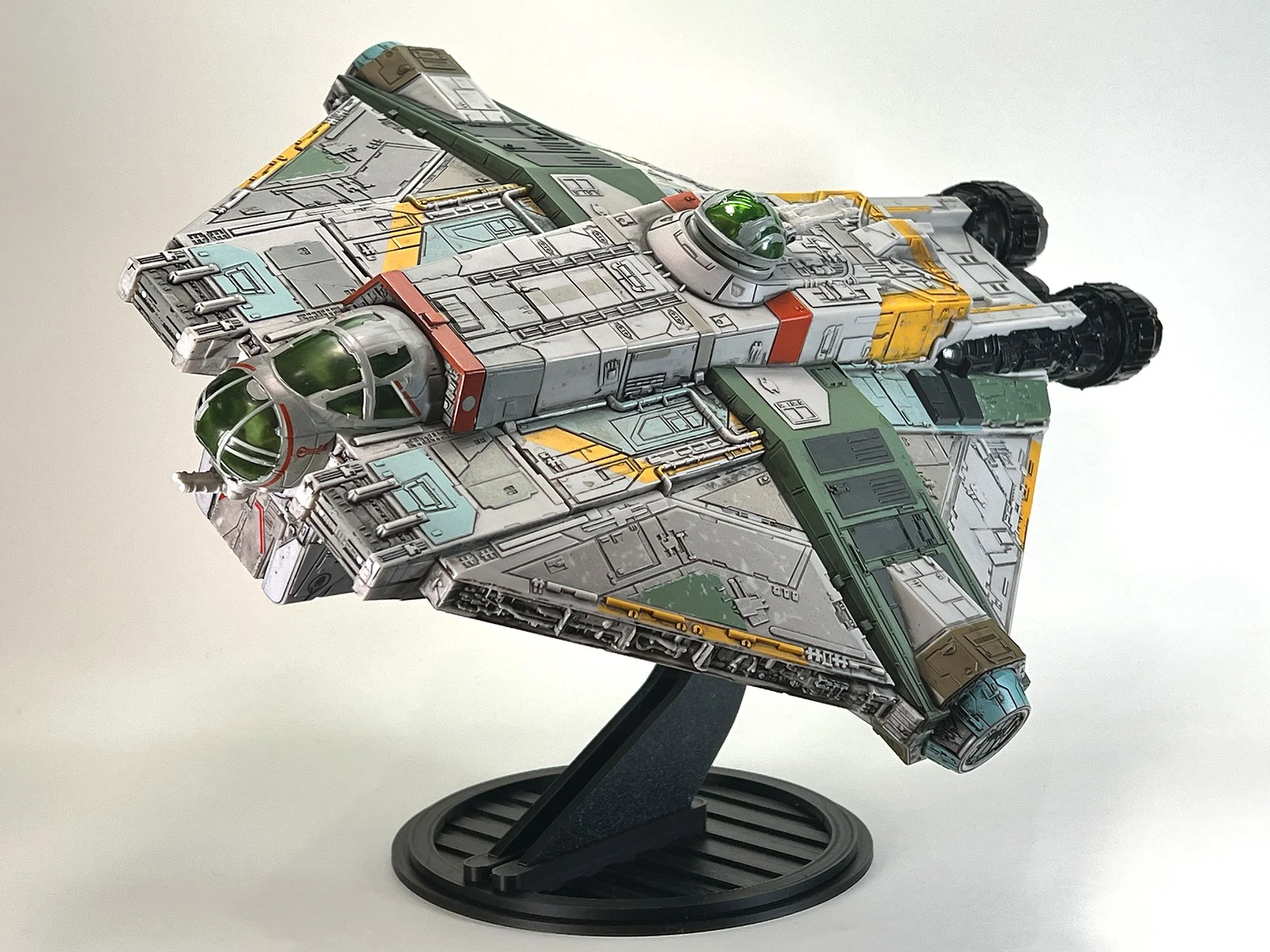
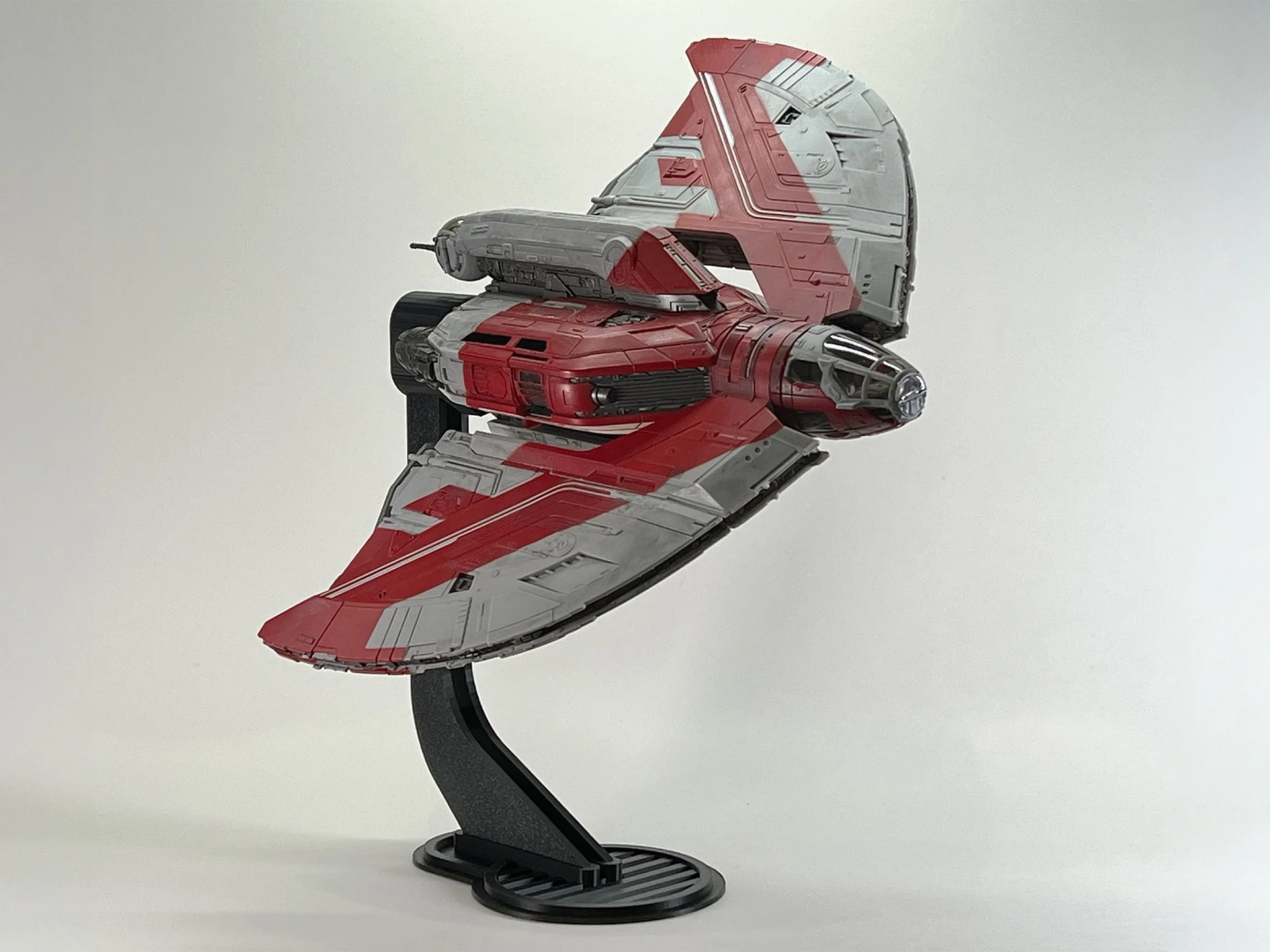
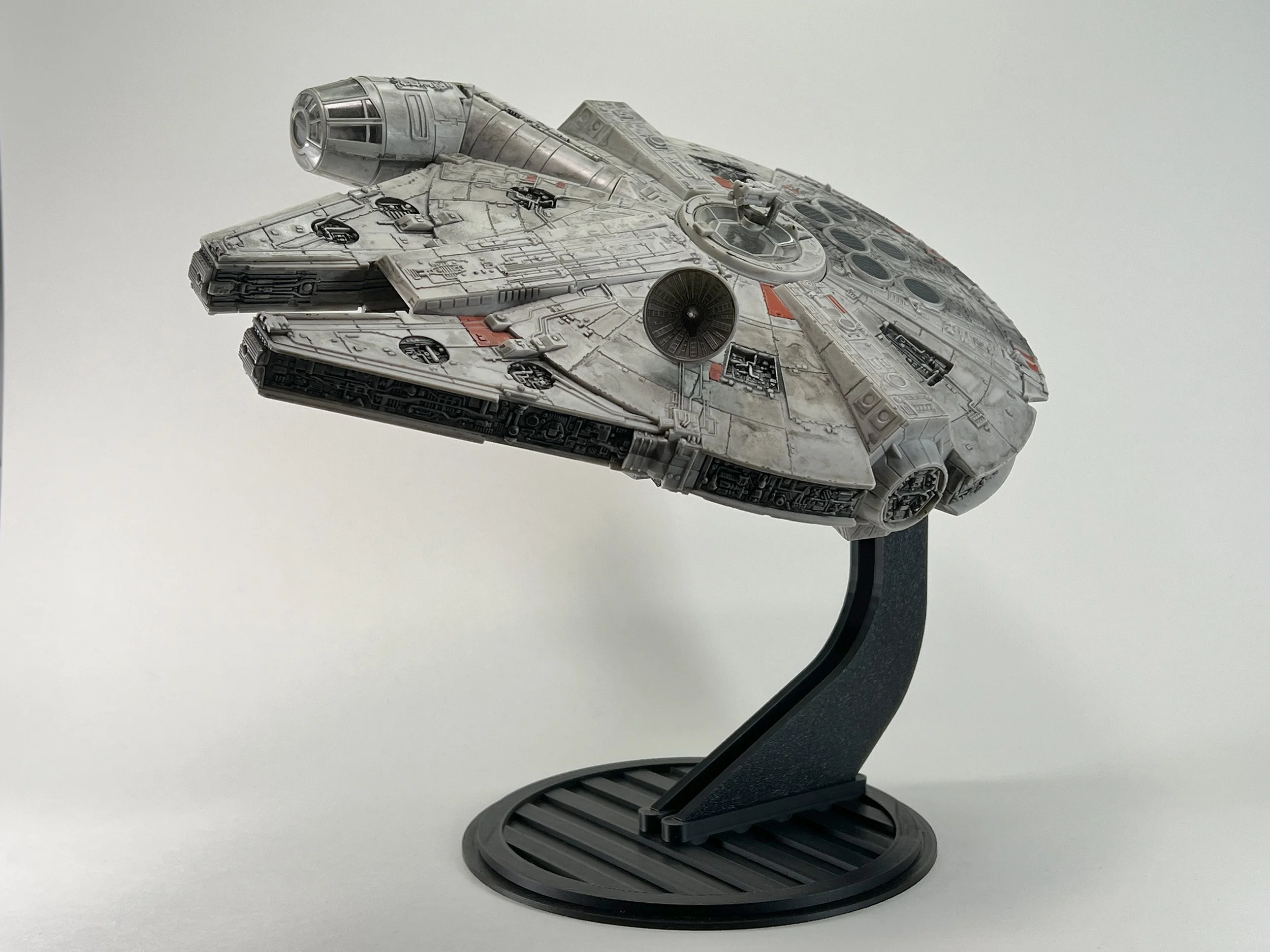
Micro Galaxy Squadron Slave 1 Stand
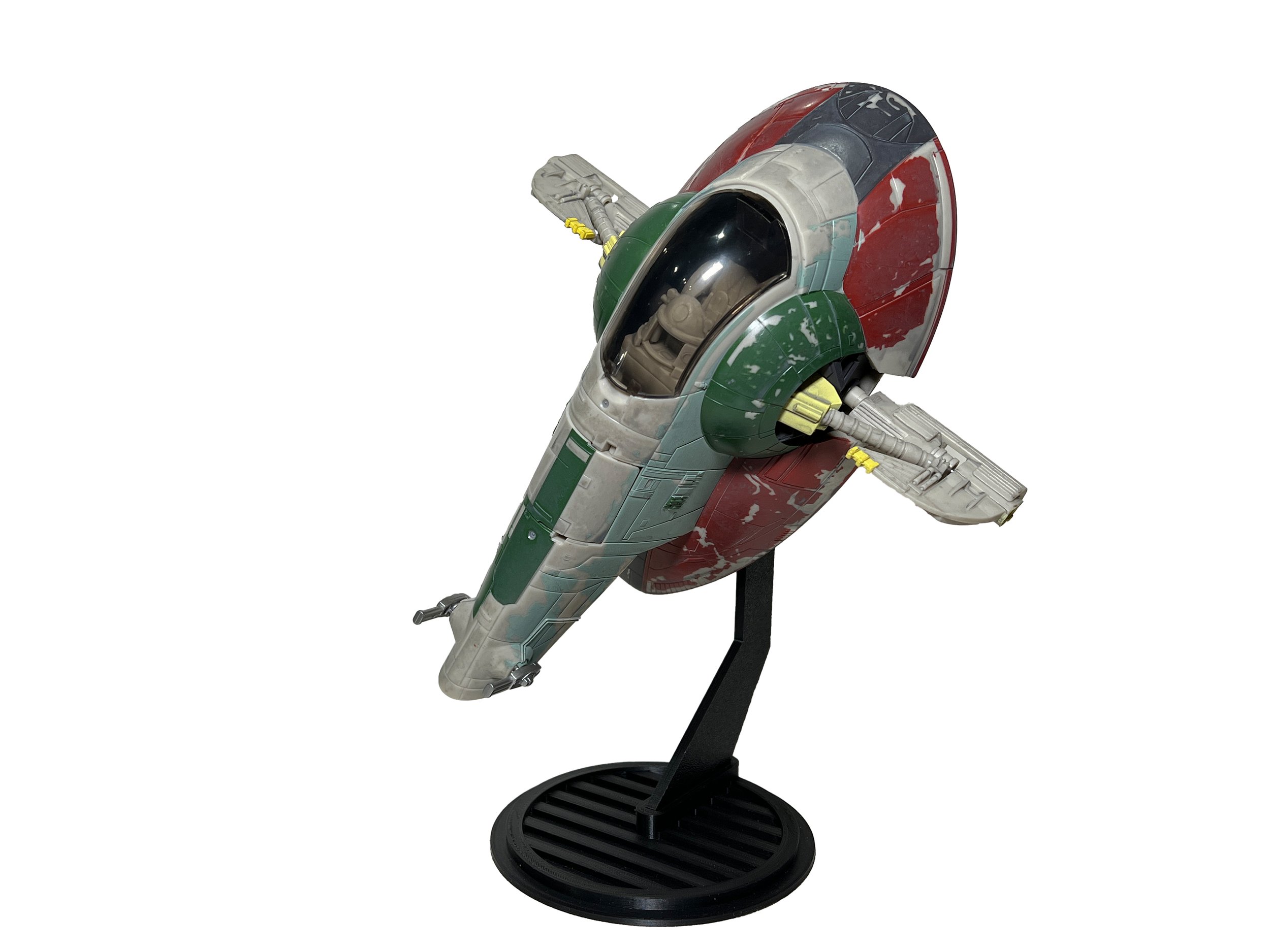
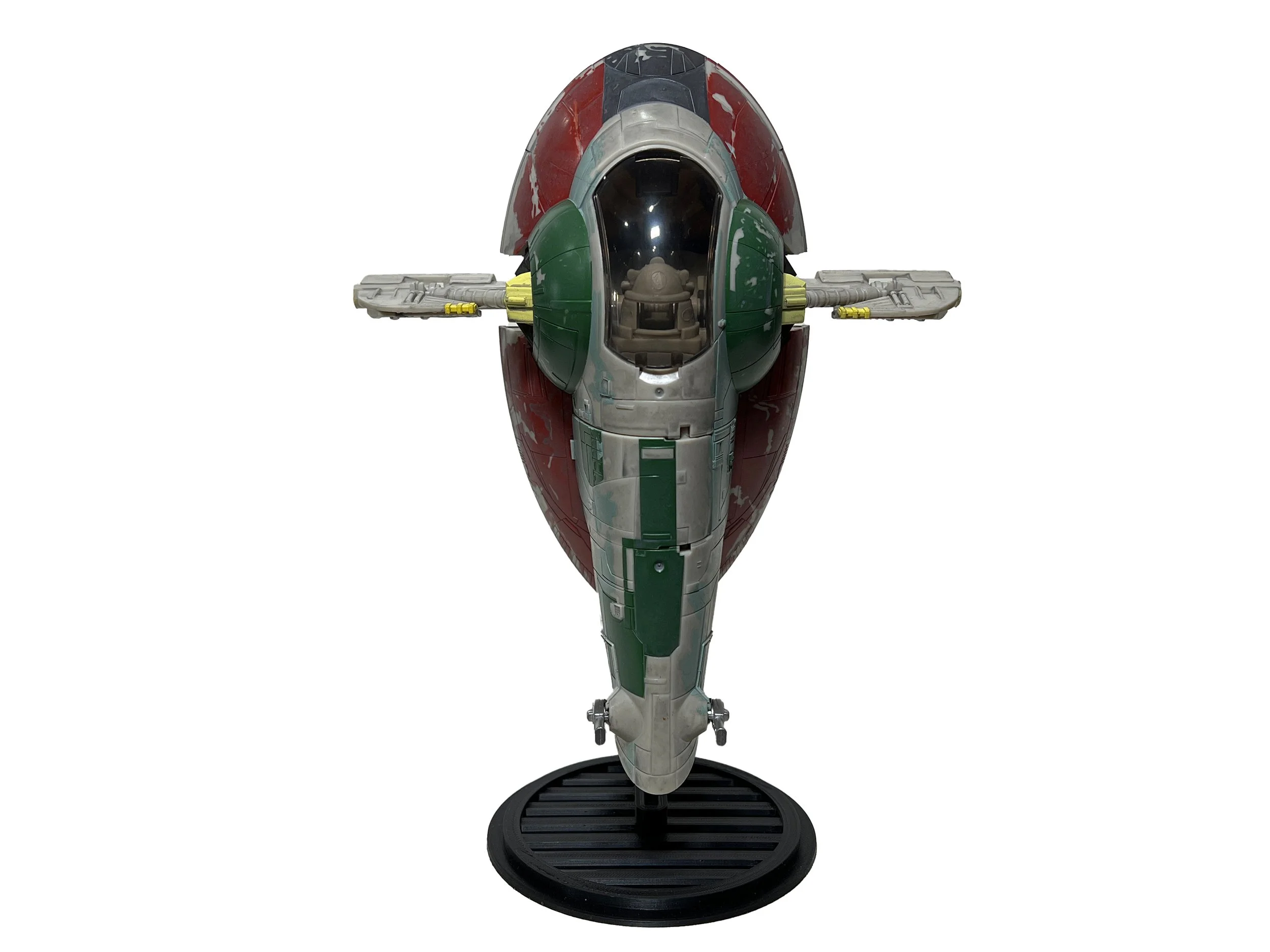
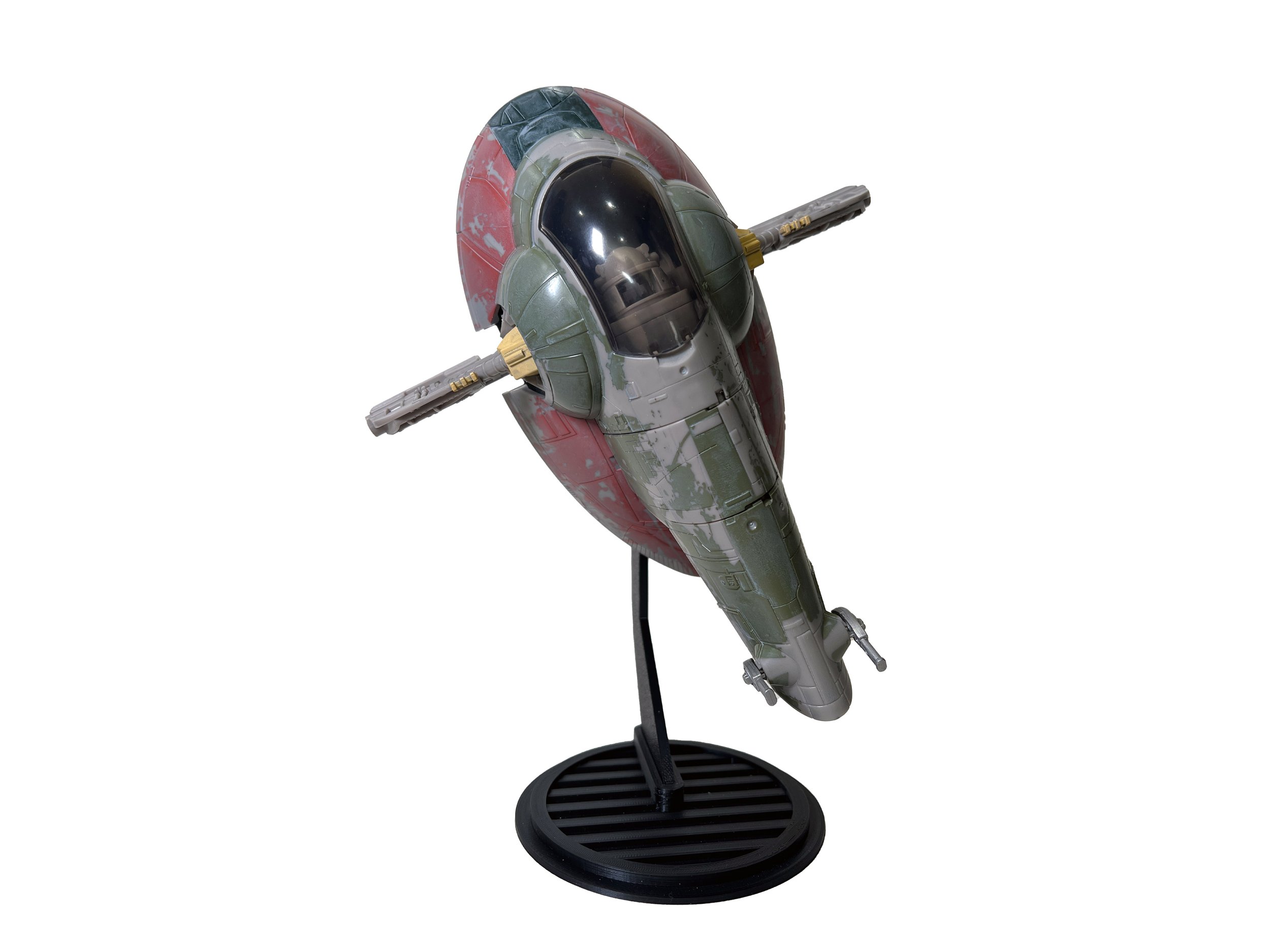
Elevate your collection with this 3D-printed flight stand, tailored and tested to perfectly fit the Micro Galaxy Squadron Boba Fett's Starship, Jango Fett's Starship, and Boba Fett's (Episode 5) Starship. This stand allows you to pivot your ship across a wide range of angles, offering a versatile and striking display solution. Assembly is necessary, and it comes with an M3 socket head cap screw, requiring a 2.5mm Allen wrench for setup.
Important Information
This is a 3D-printed product, and not an official Jazwares Micro Galaxy Squadron accessory. All stands are made to order, please allow 5-7 days for printing and shipping. Use of these stands may pose a risk of damage to your toys. The seller assumes no liability for any resulting damage. THE TOY IN THE IMAGE IS NOT INCLUDED; YOU ARE PURCHASING THE STAND ONLY. If size options are available, please choose the correct size from the selection.
Instructions
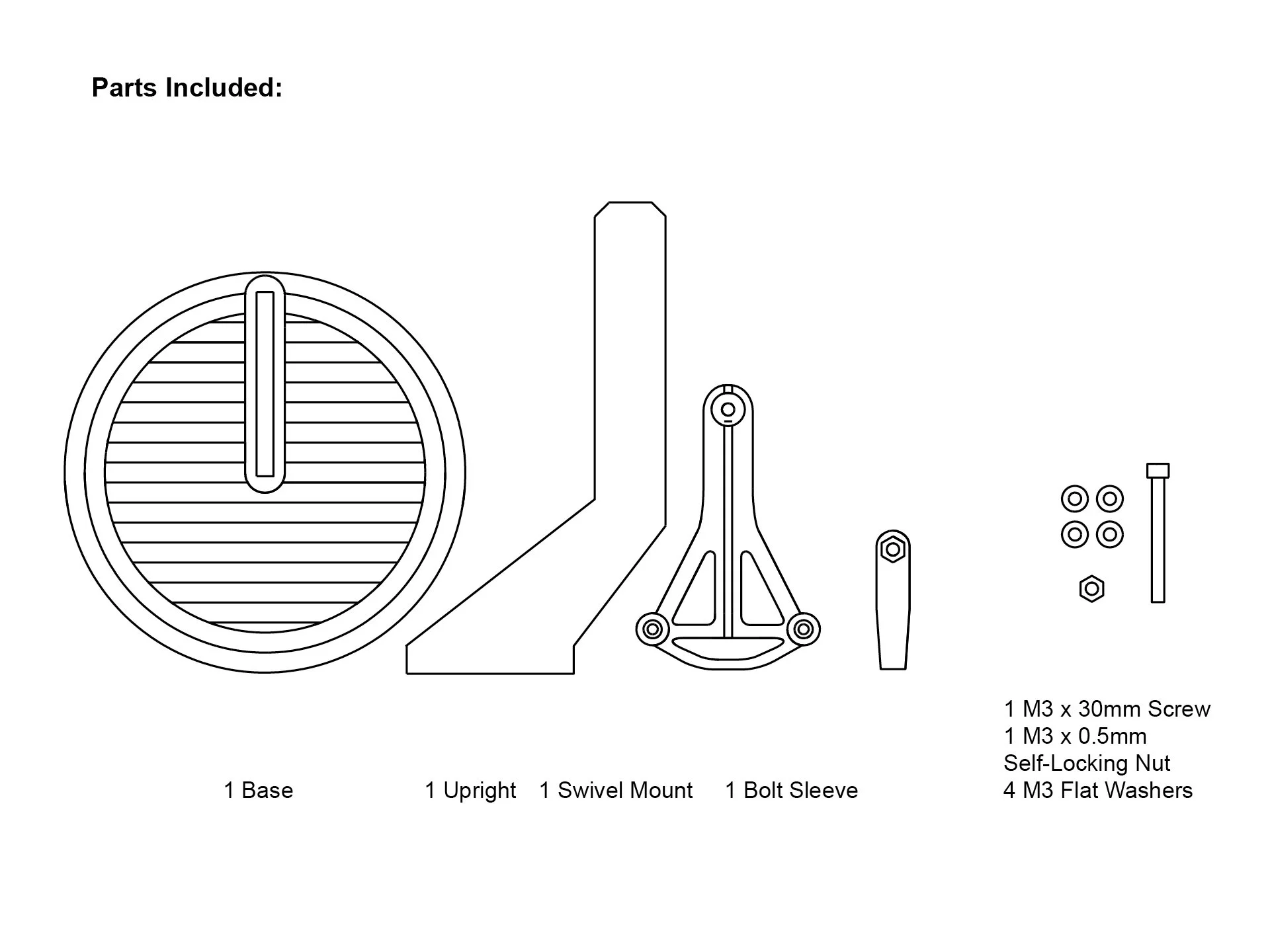
Tools Needed:
2.5mm Allen wrench (for the M3 Socket Head Cap Screw)
Phillips screwdriver (for Slave I ship screws)
Superglue (optional)
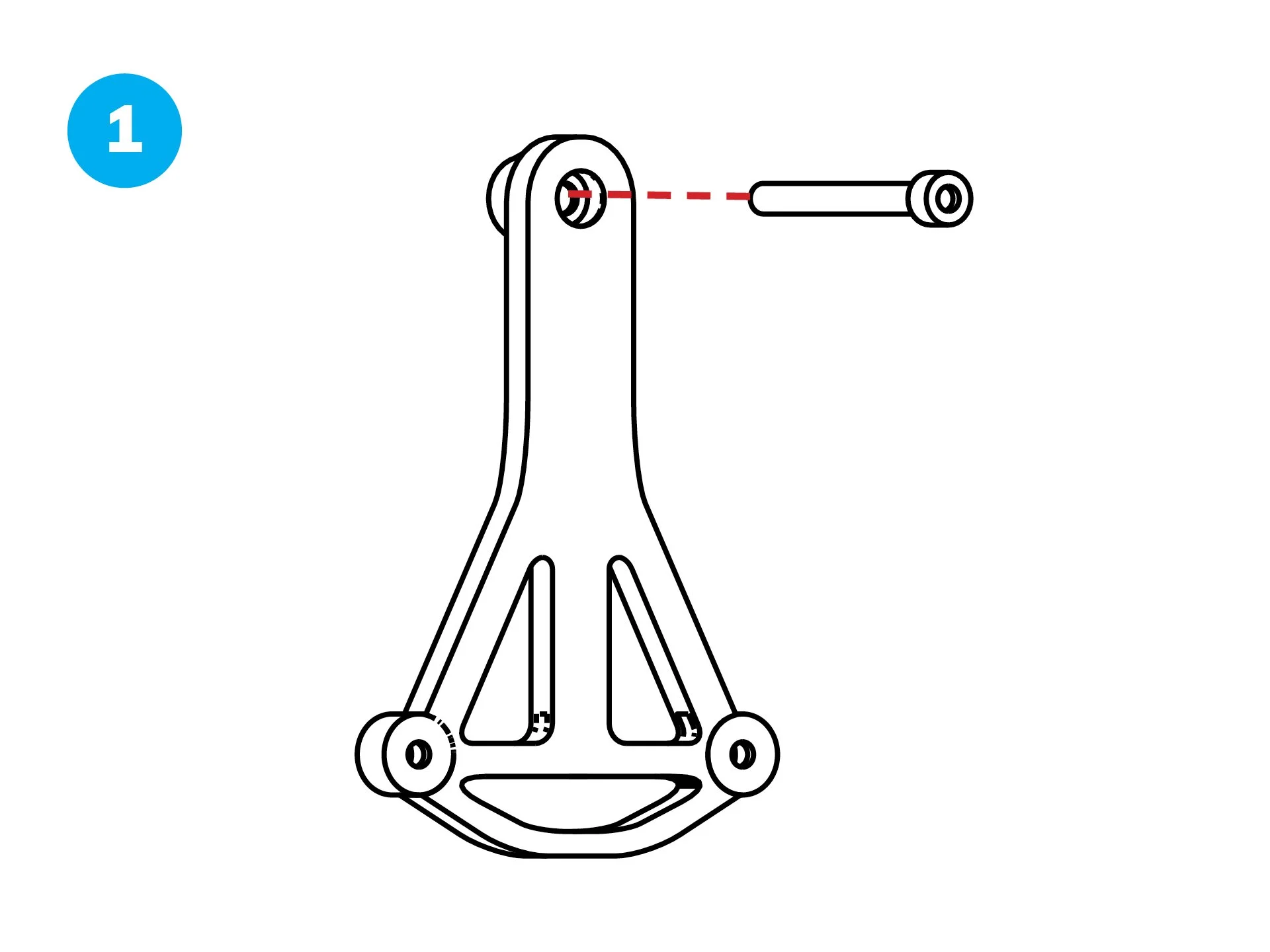
Take the M3 x 30mm Screw and insert it through the flat side of the Swivel Mount.
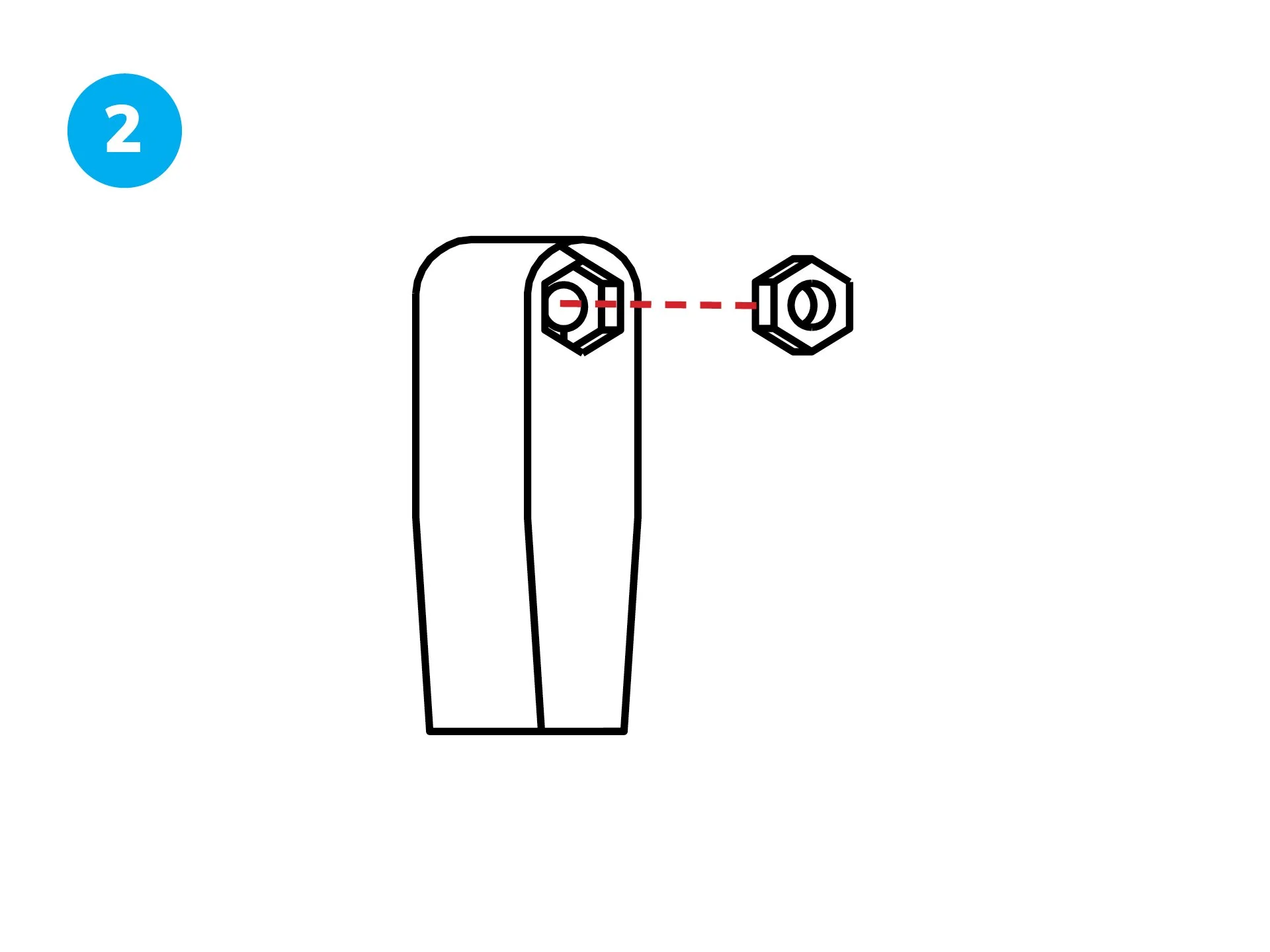
Fit the M3 x 0.5mm Self-Locking Nut into the indent on the Bolt Sleeve, ensuring it sits securely in the recessed area.
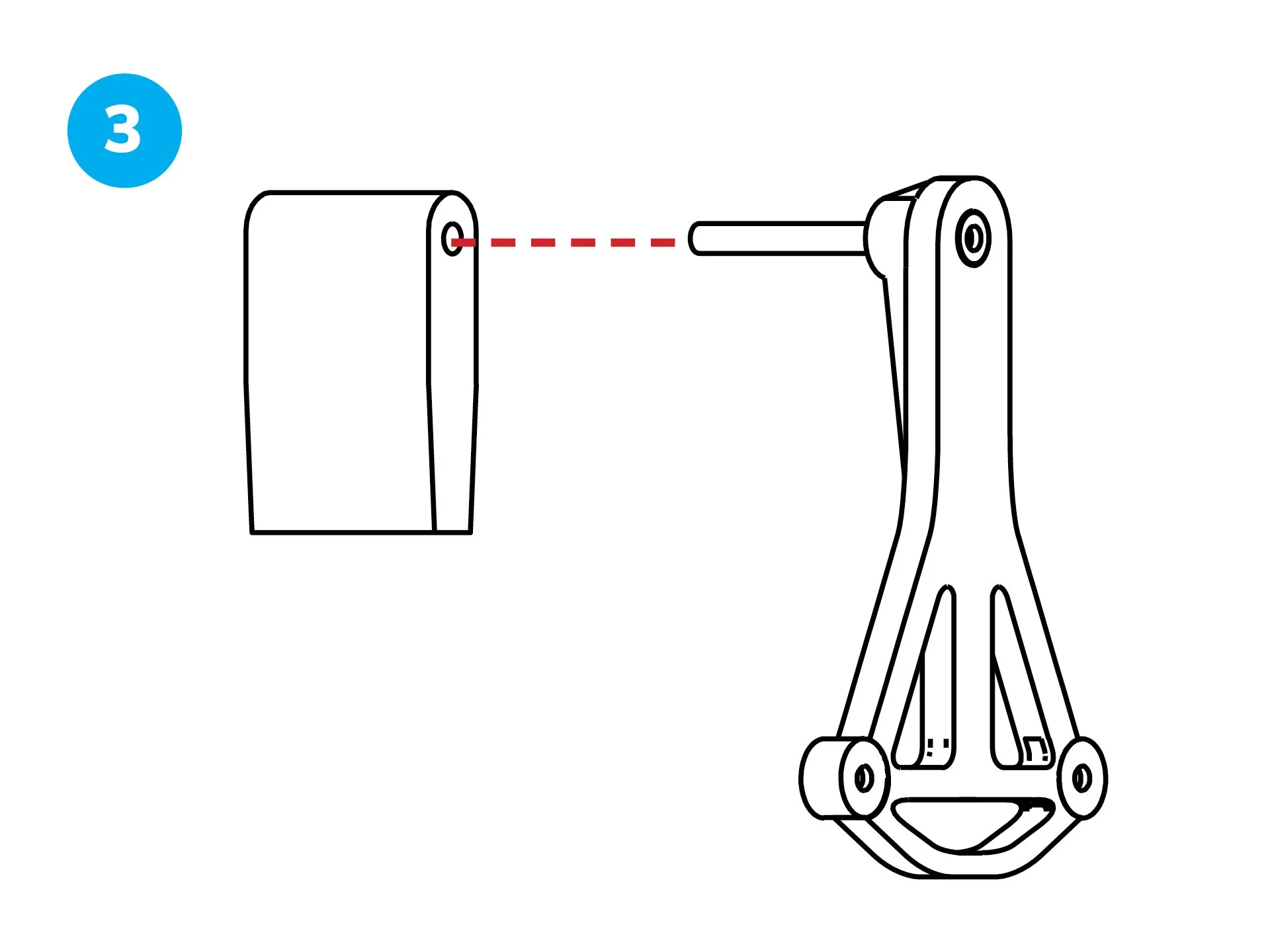
Align the Swivel Mount (with the screw inserted) to the Bolt Sleeve.
Thread the M3 Screw through the Bolt Sleeve and into the Self-Locking Nut.
Use the 2.5mm Allen wrench to tighten until secure.
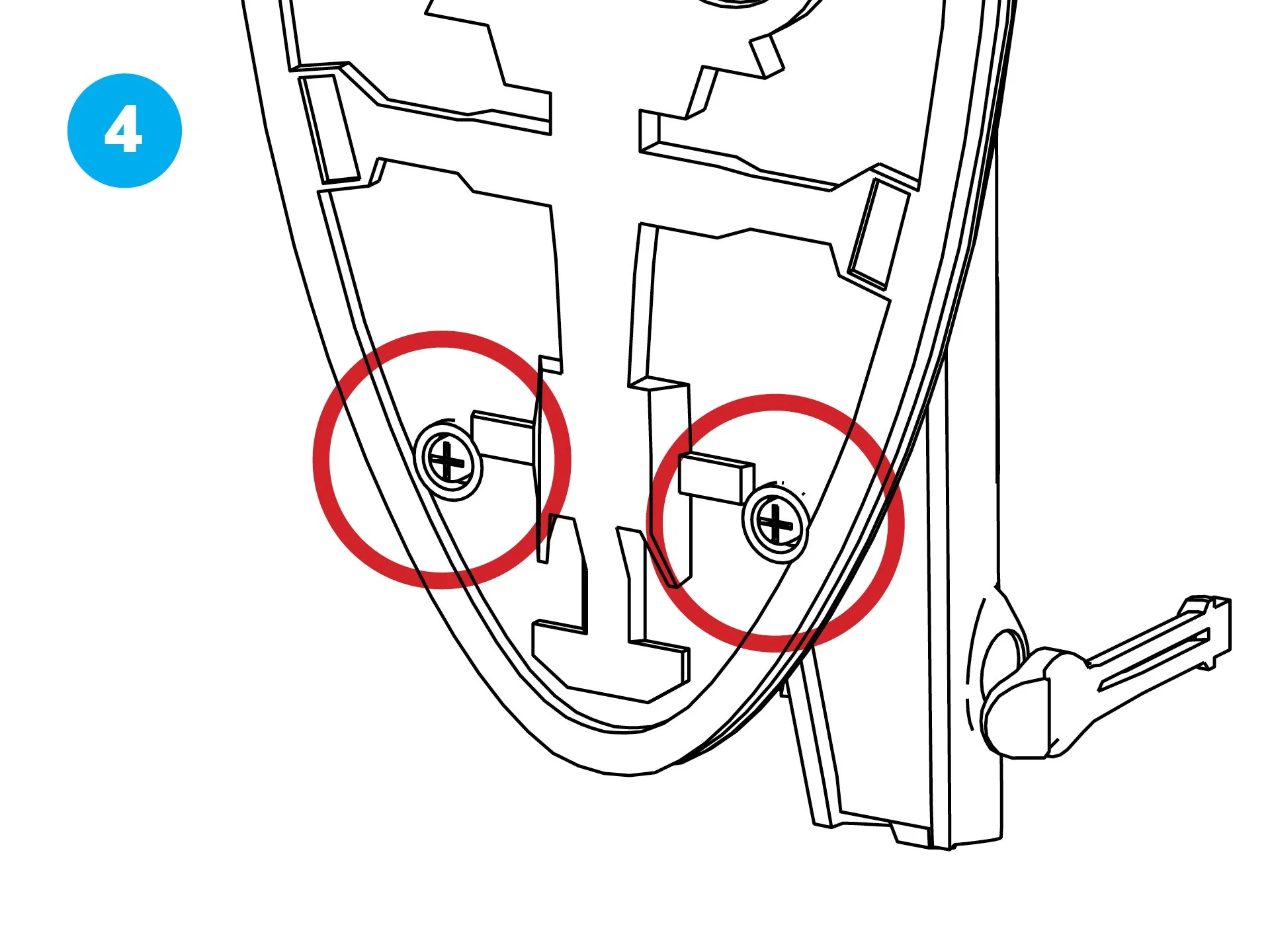
Using a Phillips screwdriver, remove the 2 screws from the bottom of the Slave I ship.
Set the screws aside for the next step.
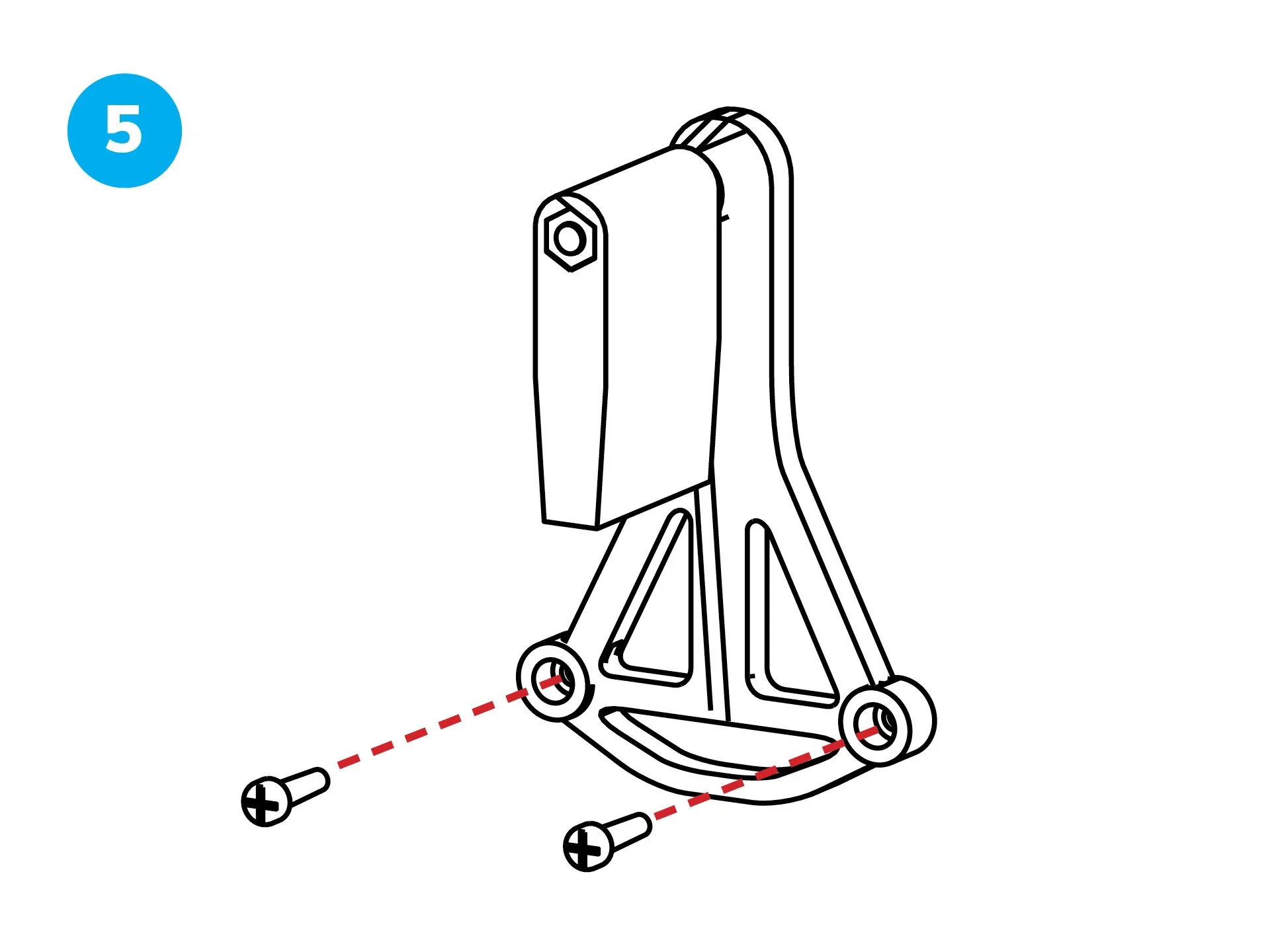
Take the assembled Swivel Mount and Bolt Sleeve.
Use the 2 removed screws from the Slave I ship to attach to the Swivel Mount/Bolt Sleeve assembly.
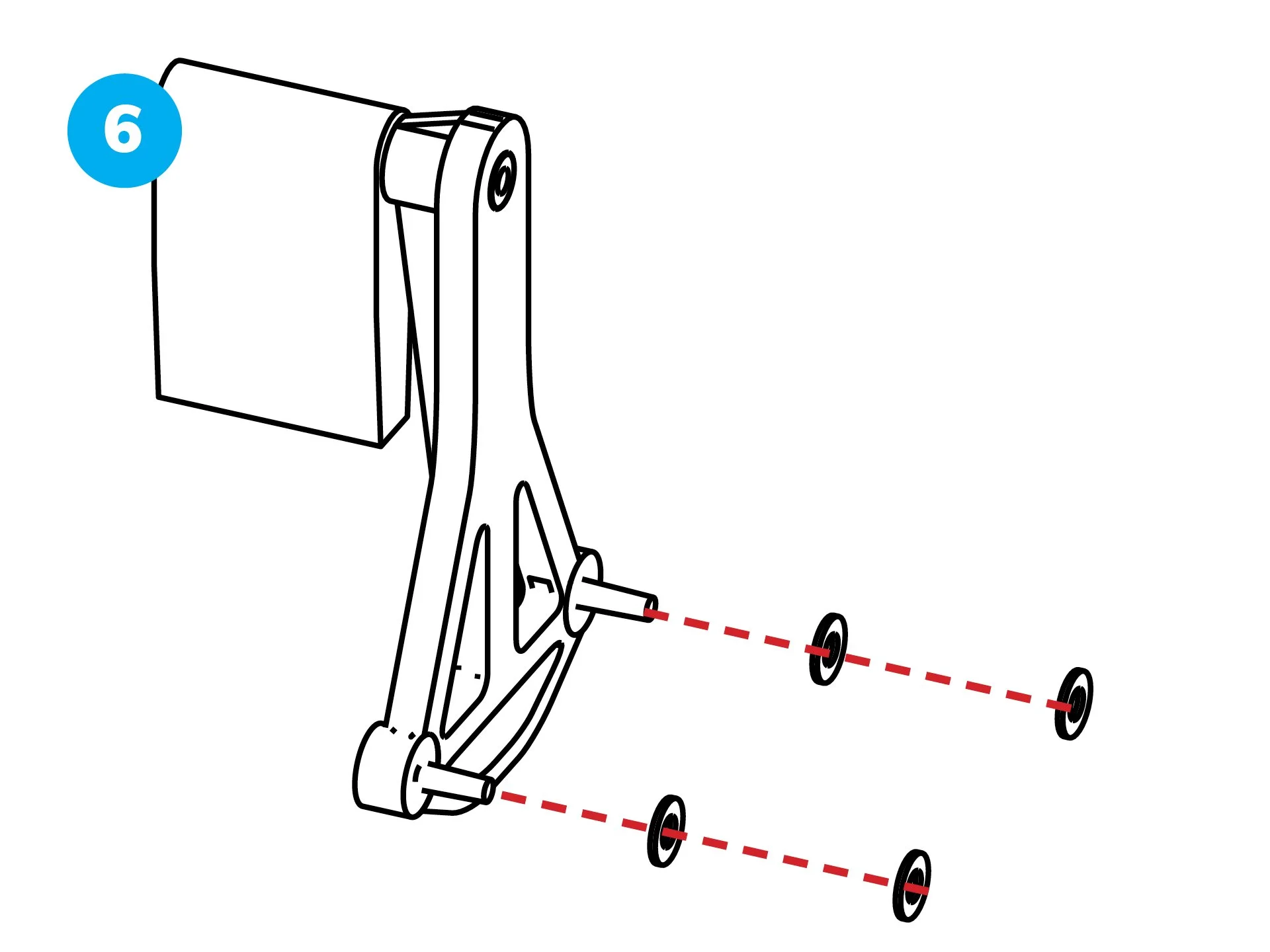
Place the 4 M3 Flat Washers between the Swivel Mount/Bolt Sleeve assembly and the bottom of the Slave I ship as spacers.
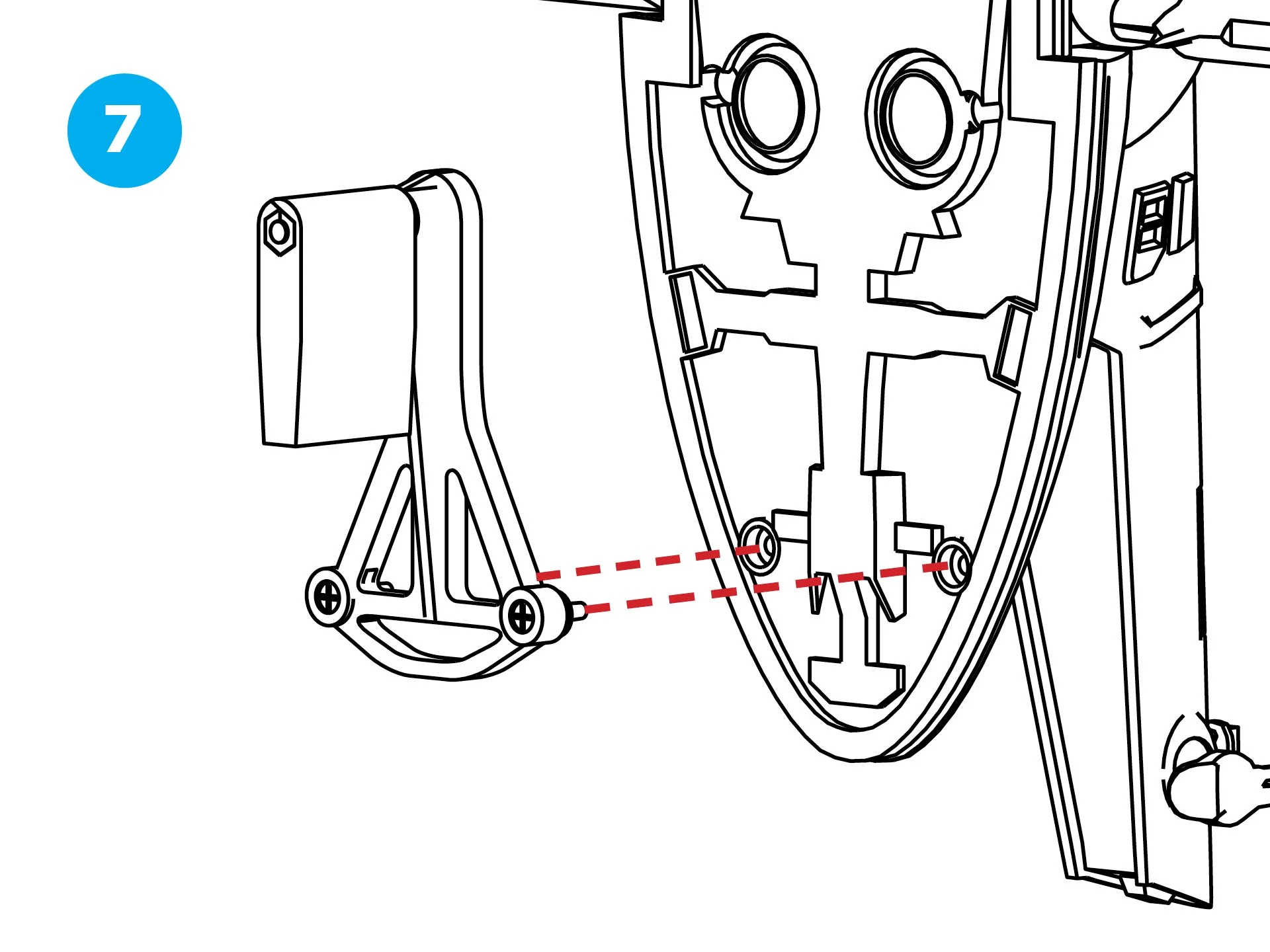
Line up the Swivel Mount assembly with the screw holes on the bottom of the Slave I ship.
Tighten the 2 screws with the Phillips screwdriver—do not over-tighten.
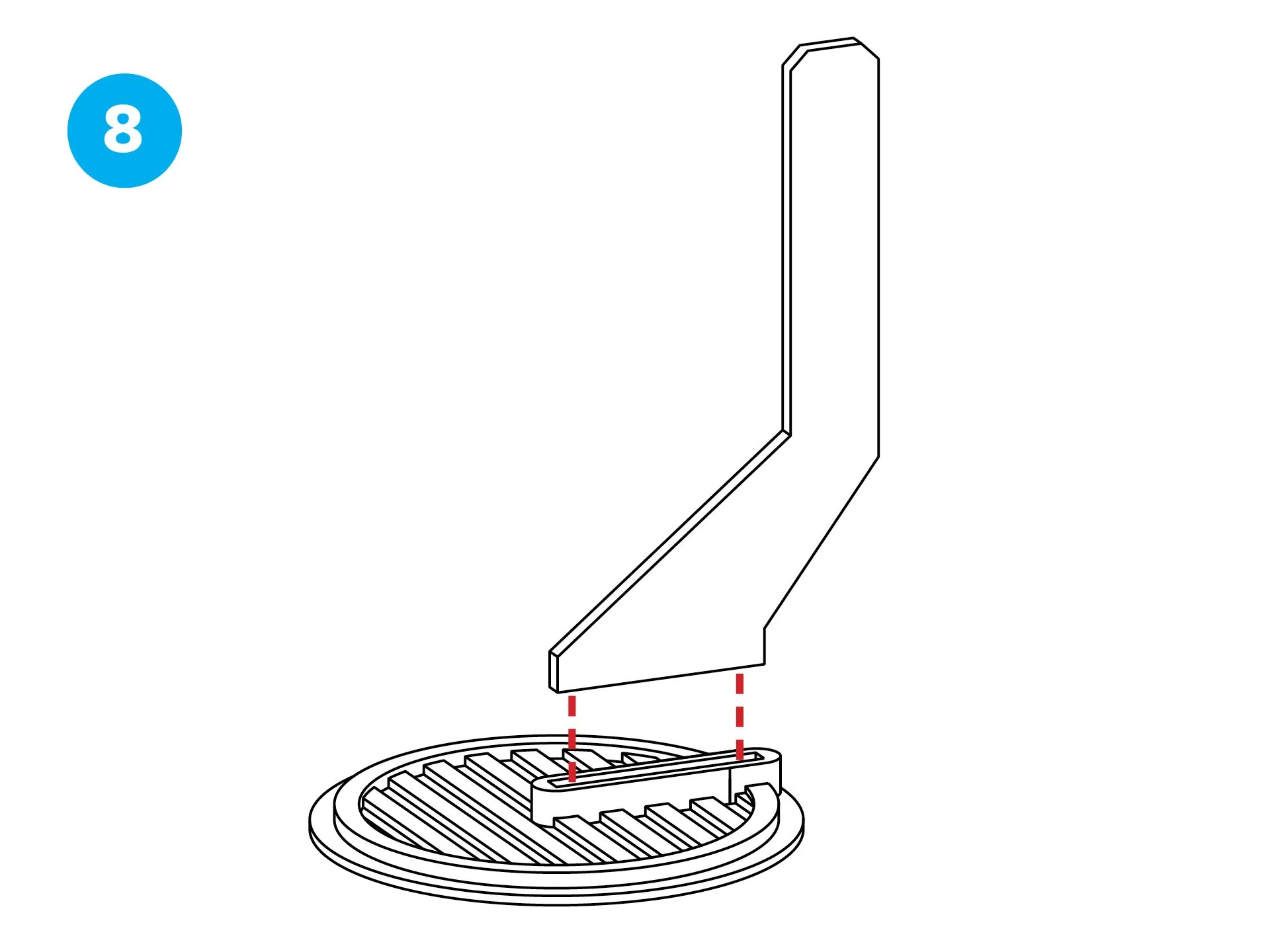
Insert the flat bottom of the Upright into the slot or mounting area on top of the Base.
Press down firmly until it locks in place. (Optional: Apply a small drop of superglue for extra stability, then let it dry.)
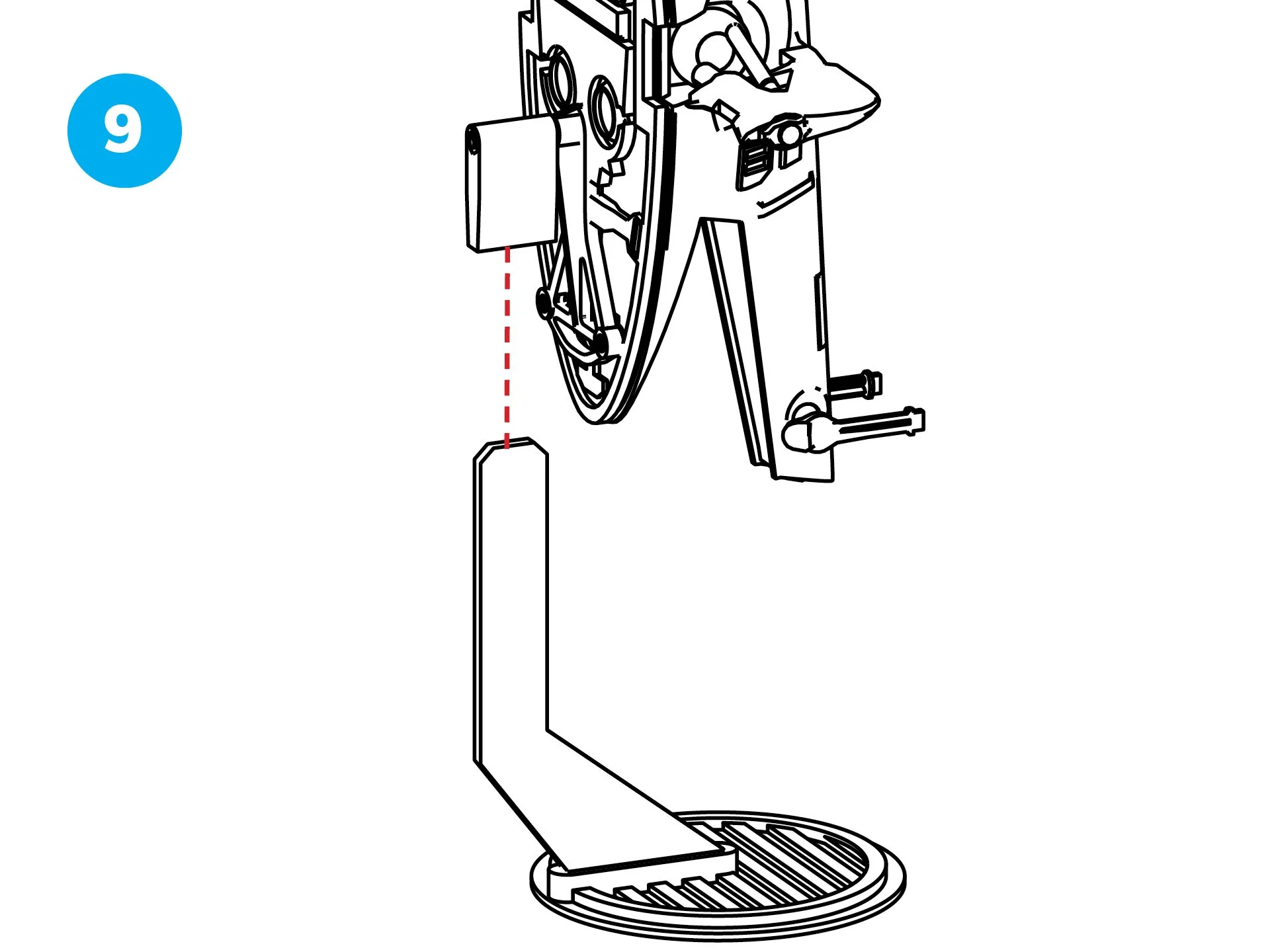
Take the Slave I ship with the attached Swivel Mount/Bolt Sleeve assembly.
Slide the Bolt Sleeve onto the Upright, adjusting it to your desired angle.
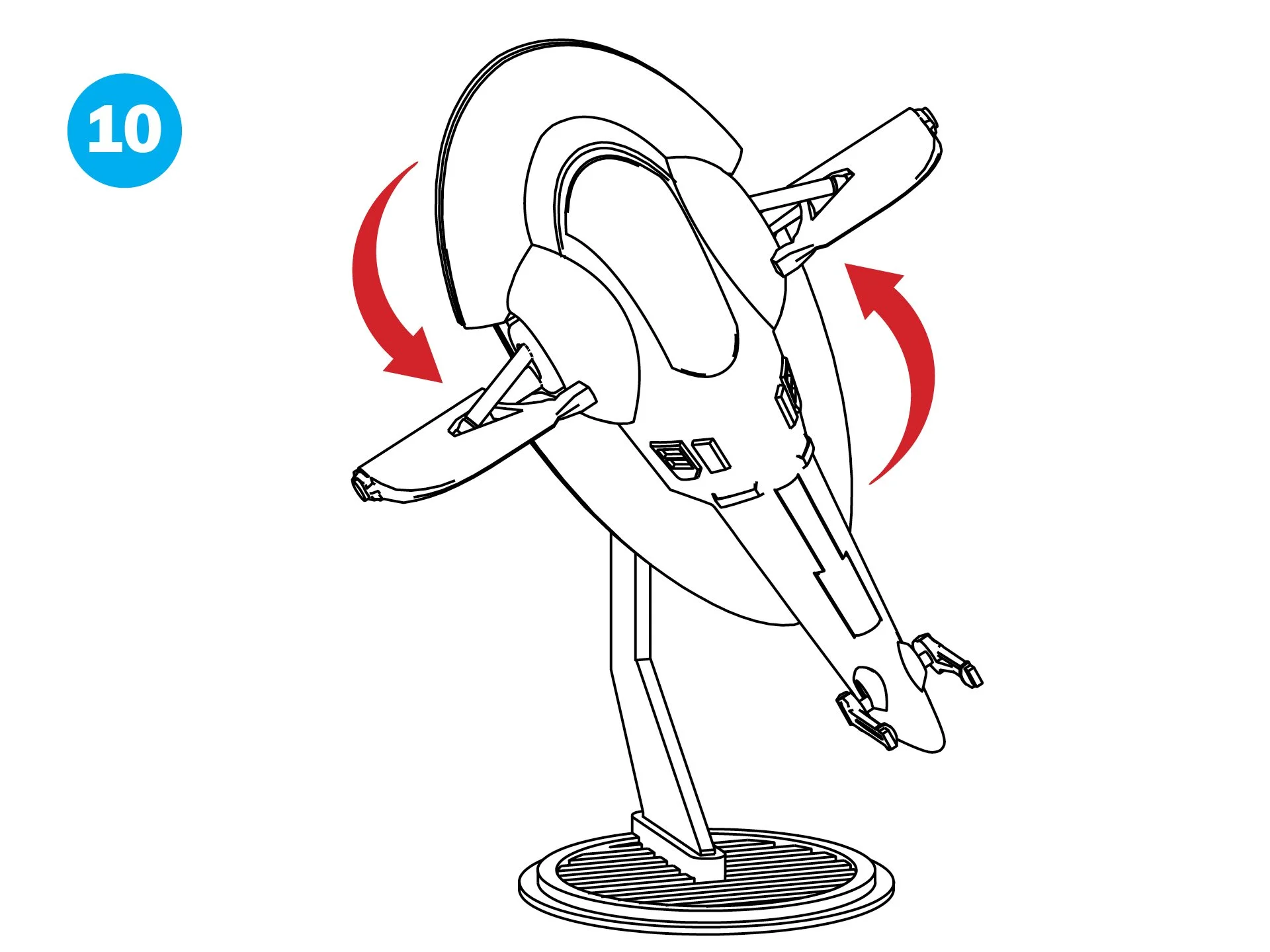
Your Slave I is now ready for display! Test the rotation and adjust if needed.
Popular Micro Galaxy Squadron Flight Stands