
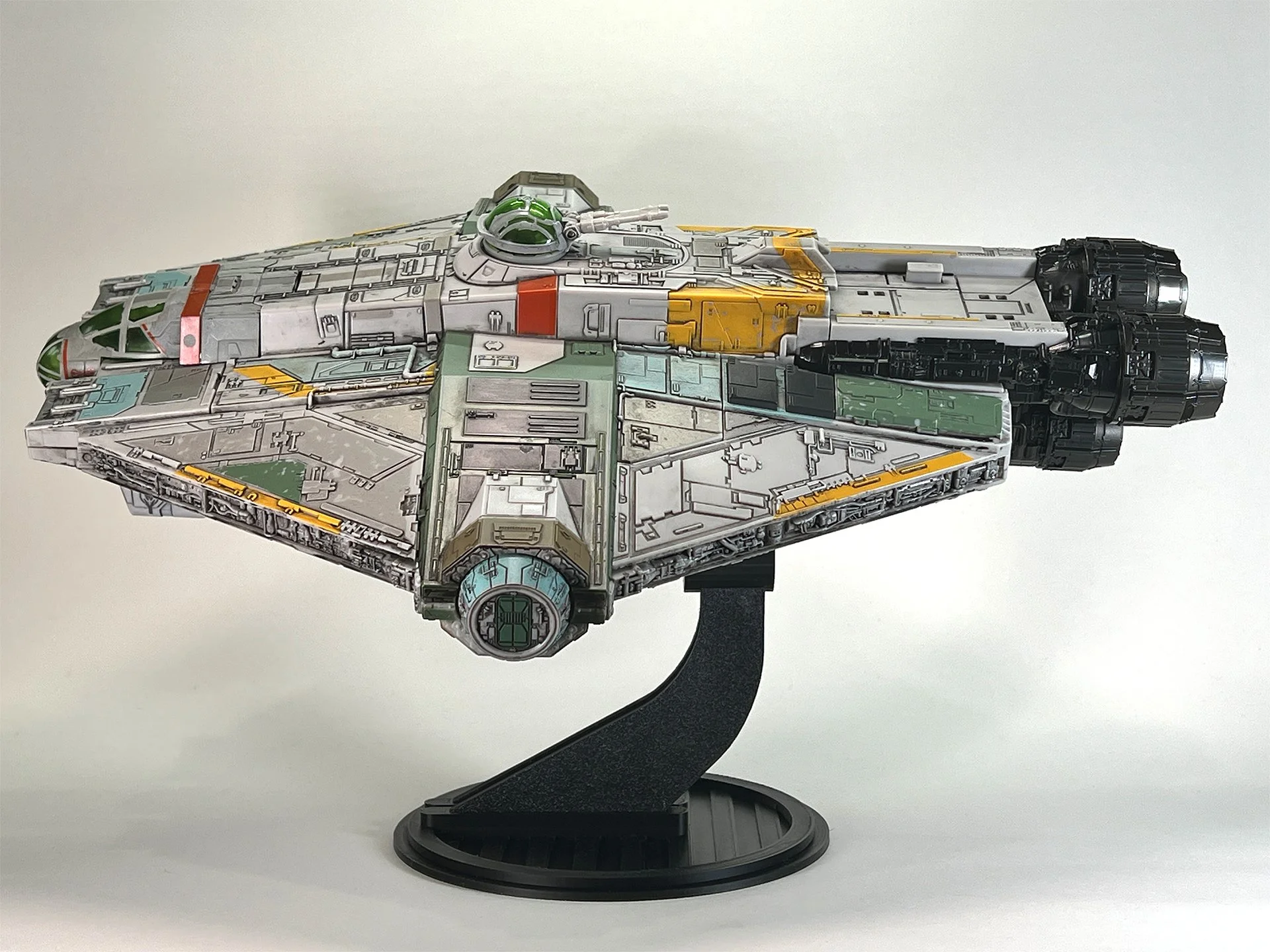
Micro Galaxy Squadron Ghost Flight Stand
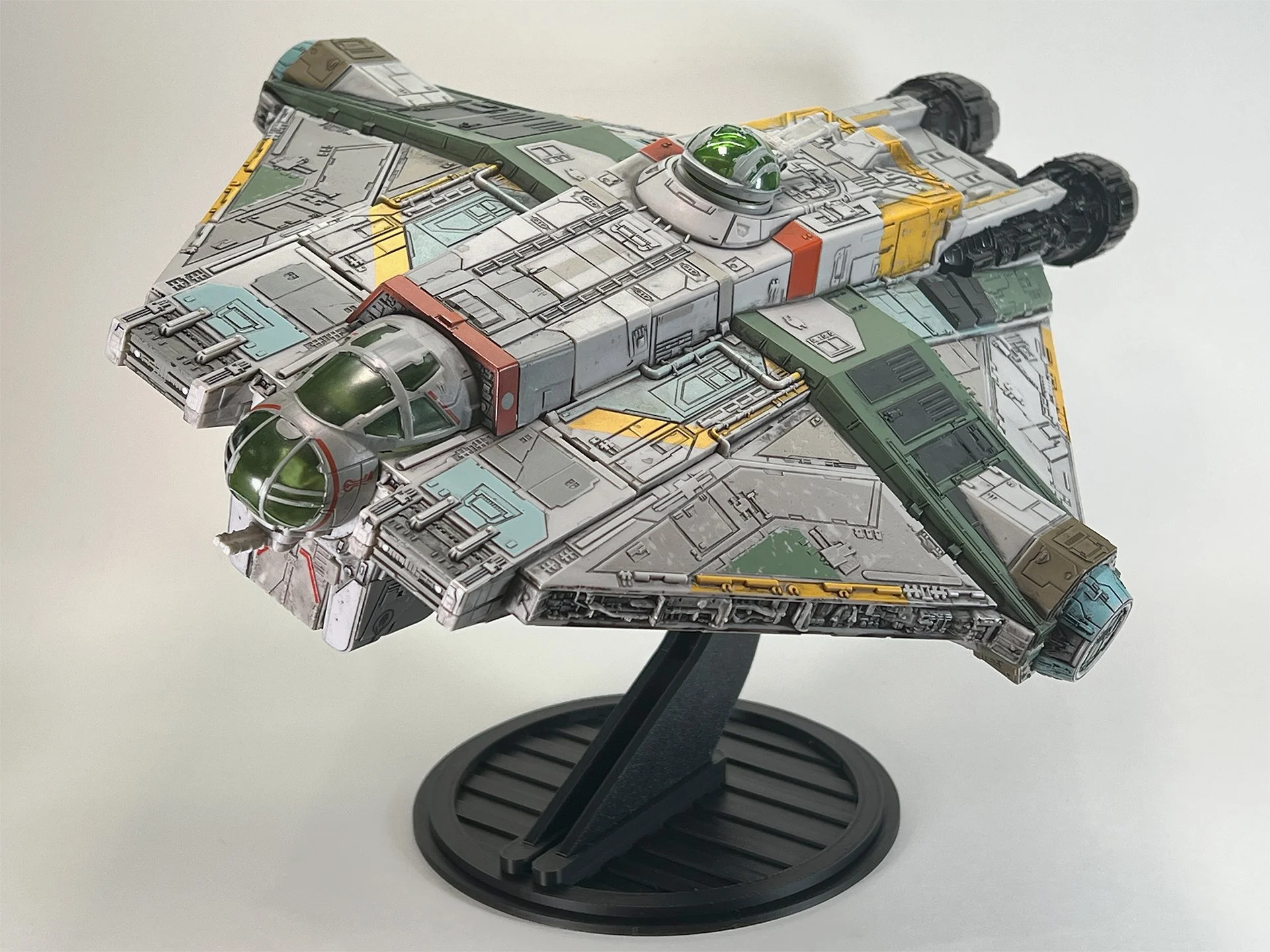
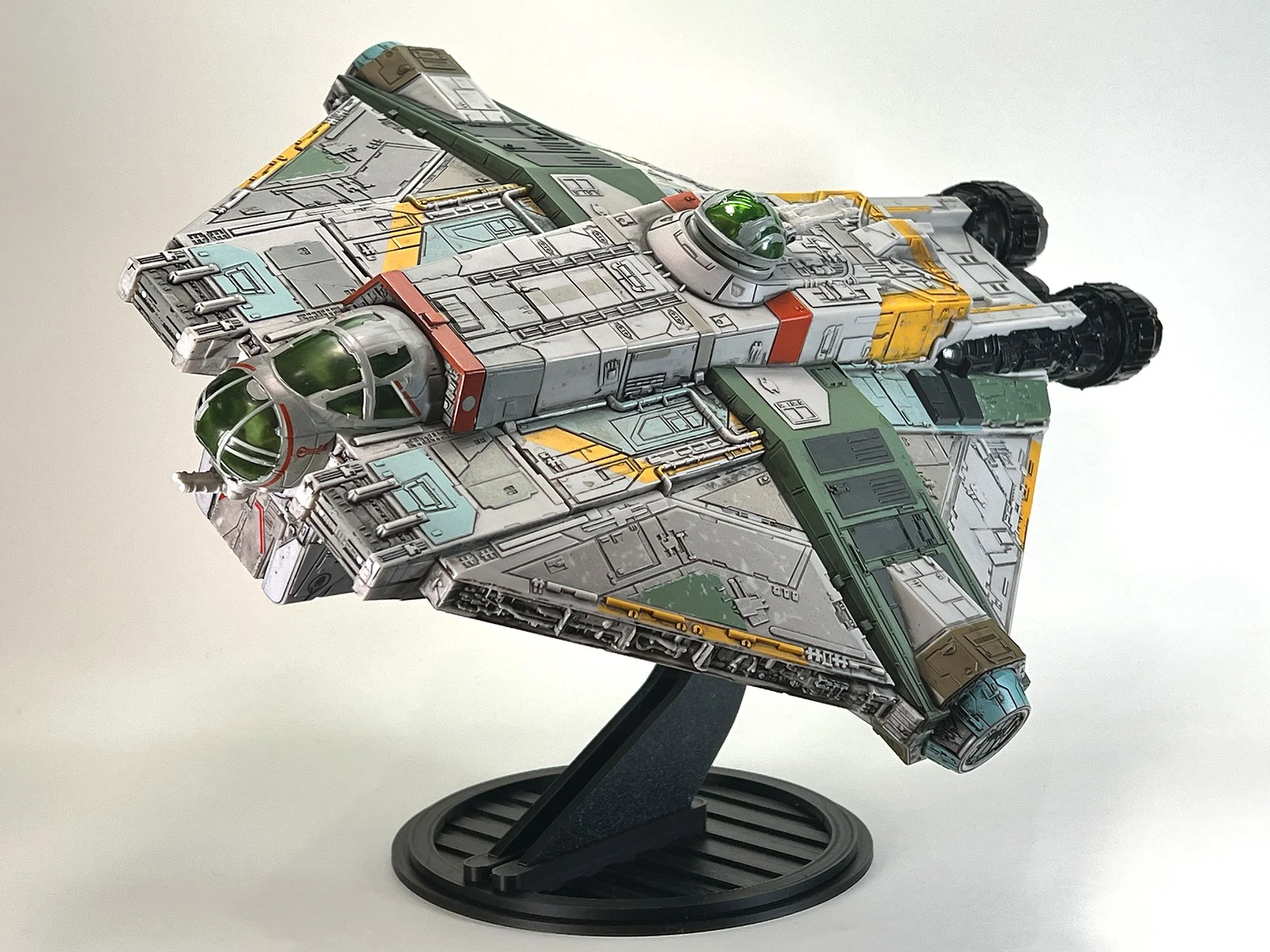
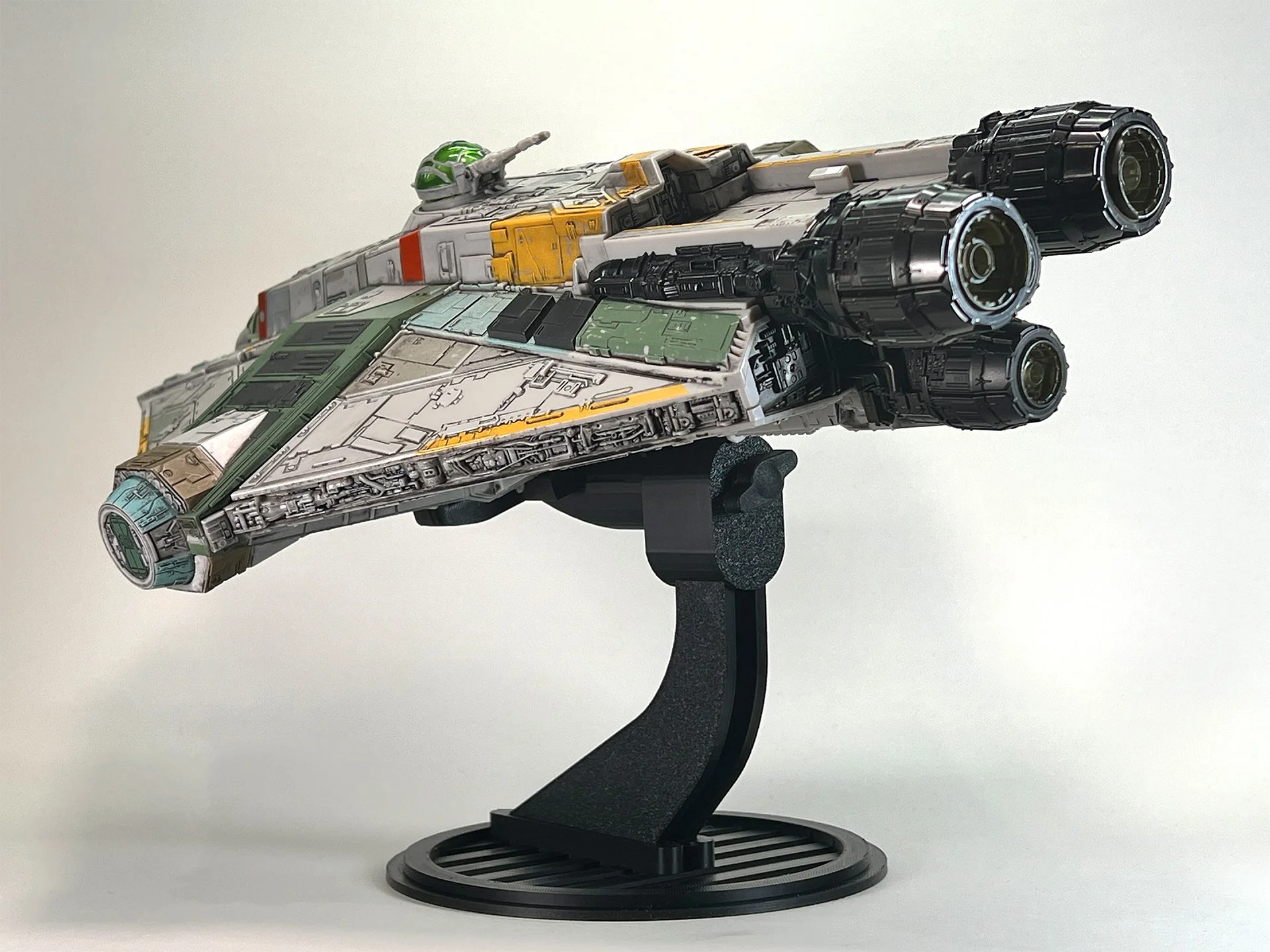
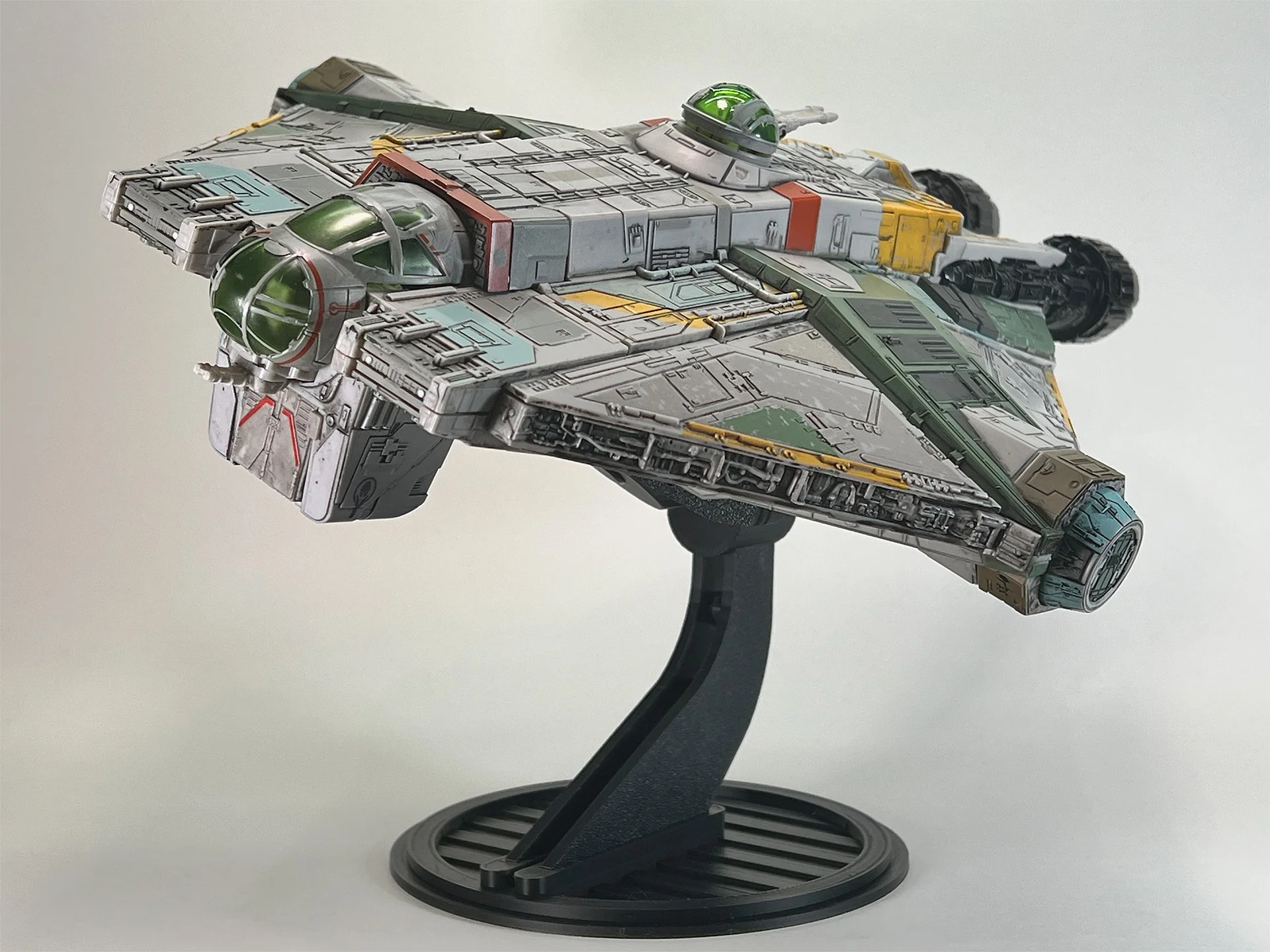
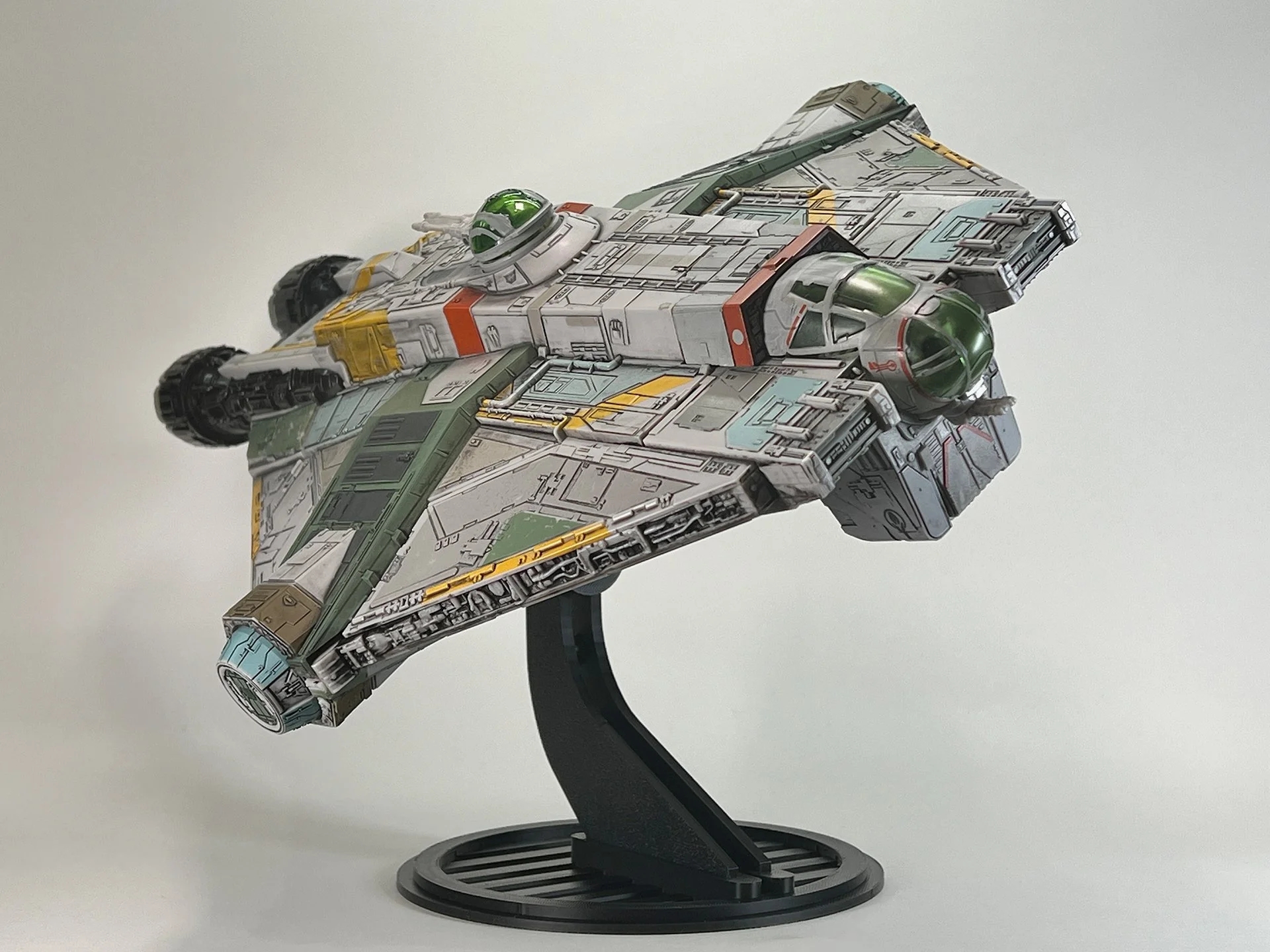
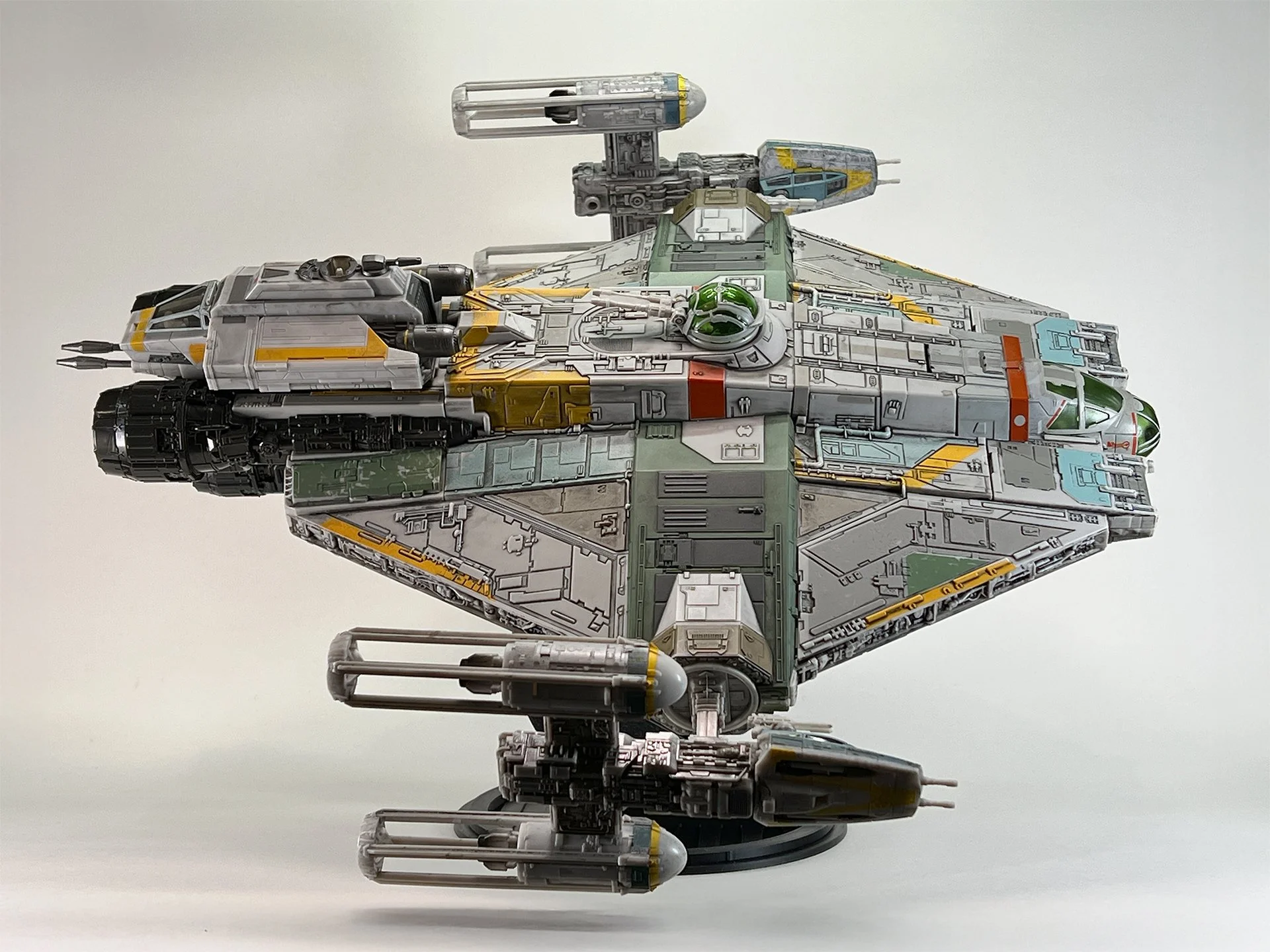
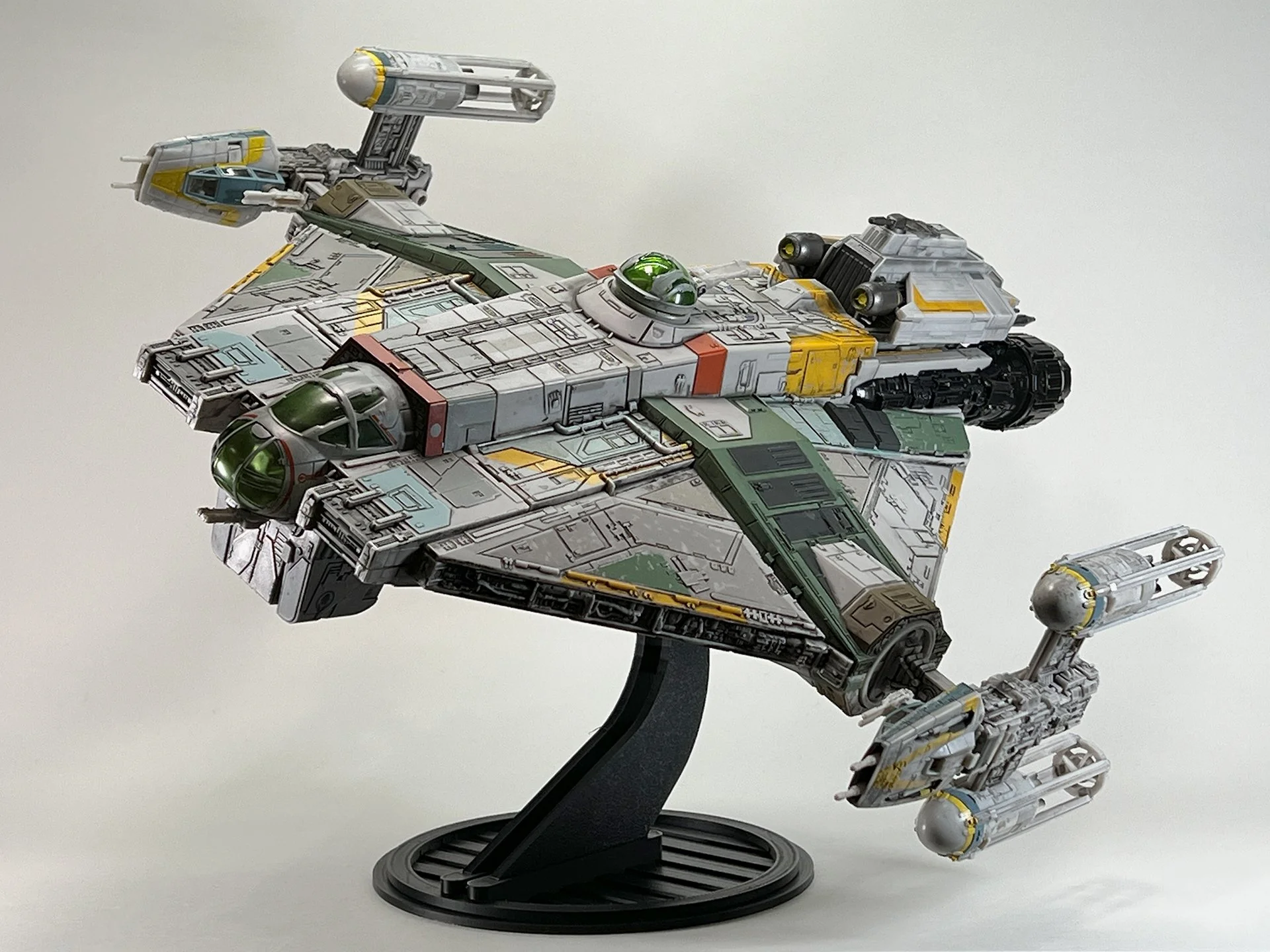
The Ghosts long hull and detailed underside need height and controlled tilt more than a tiny desktop peg. This stand fits Micro Galaxy Squadron Ghost versions and uses an adjustable tension mount so you can show the ship in a shallow bank or a more dramatic climb — roughly 10” angled or 8.5” in horizontal flight mode. Loosen the tension knob before you rotate; forcing the ship against a tight knob can stress the mount or the toy. Printed to order in Minnesota. Stand only.
Key Features
Flexible Positioning: Equipped with an adjustable tension mechanism, the stand securely holds the Ghost at almost any desired angle to showcase its detailed interior or sleek flight profile.
Optimized Height: The stand elevates the Ghost to approximately 10 inches when angled or 8.5 inches in horizontal flight mode, making it a commanding focal point in your collection.
Premium Construction: Crafted from high-quality 3D-printed materials, the stand is engineered for durability and a perfect fit with the Micro Galaxy Squadron Ghost.
Simple Setup: Designed for ease of use, the stand allows for quick assembly, enabling you to display your Ghost effortlessly.
Important Information
*Tension Adjustment: You must loosen the tension knob before rotating the ship to prevent potential damage to the stand or the Ghost.
This is a custom, 3D-printed product and not an official Jazwares Micro Galaxy Squadron accessory.
Each stand is made to order, with a production and shipping timeline of approximately 5-7 business days.
Toy Not Included: This listing includes only the flight stand; the Ghost shown in images is for illustrative purposes and is not included.
Usage Notice: While designed with precision, using this stand may pose a risk of damage to your Ghost. The seller is not responsible for any potential issues.
Elevate your Micro Galaxy Squadron Ghost display with this custom flight stand, crafted to highlight its legendary design with sophistication and style. Order today to enhance your collection with this exclusive accessory!
Instructions

Begin by inserting the hooked rear of the Upright.
Press front down firmly until it locks in place.
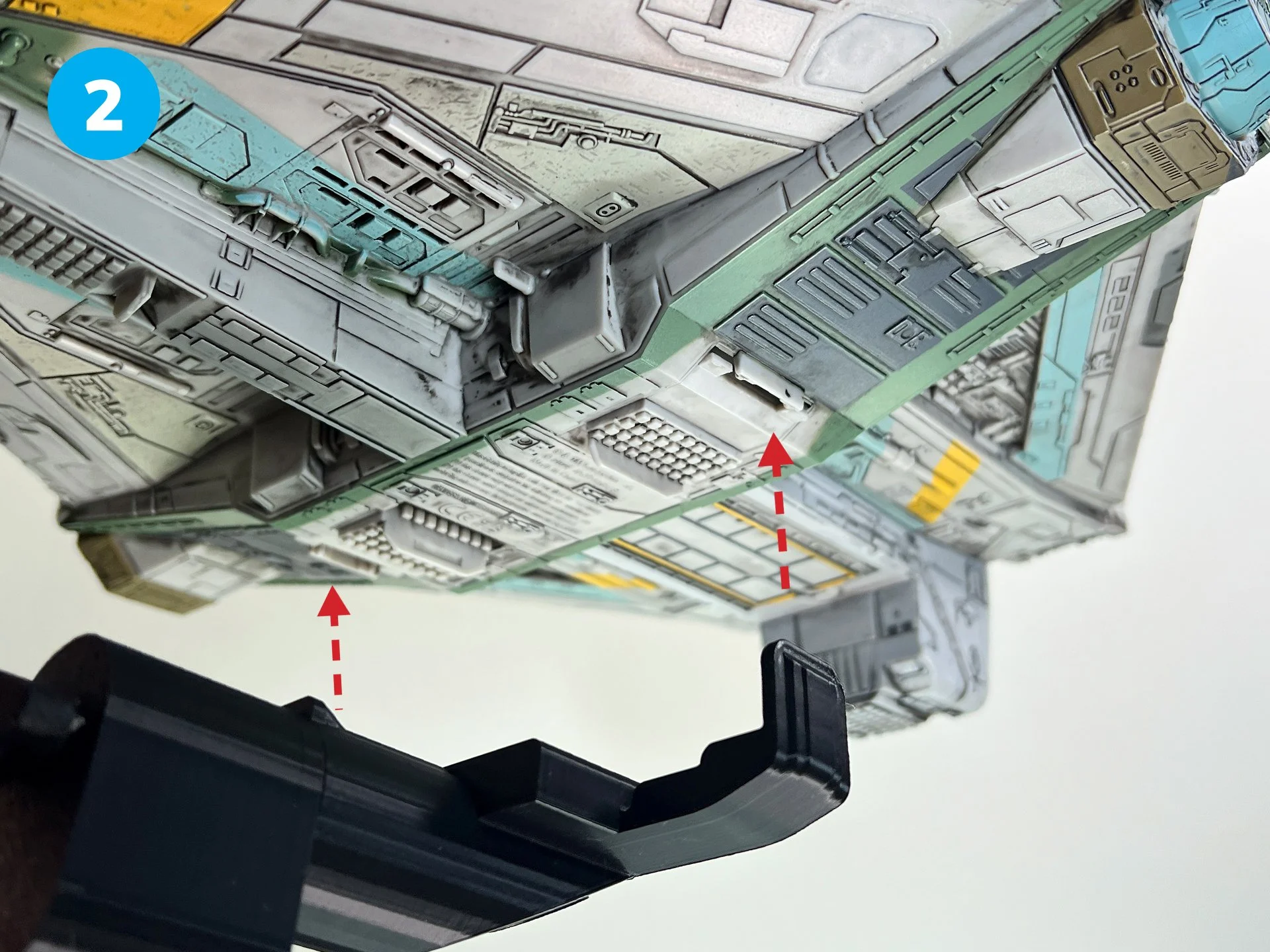
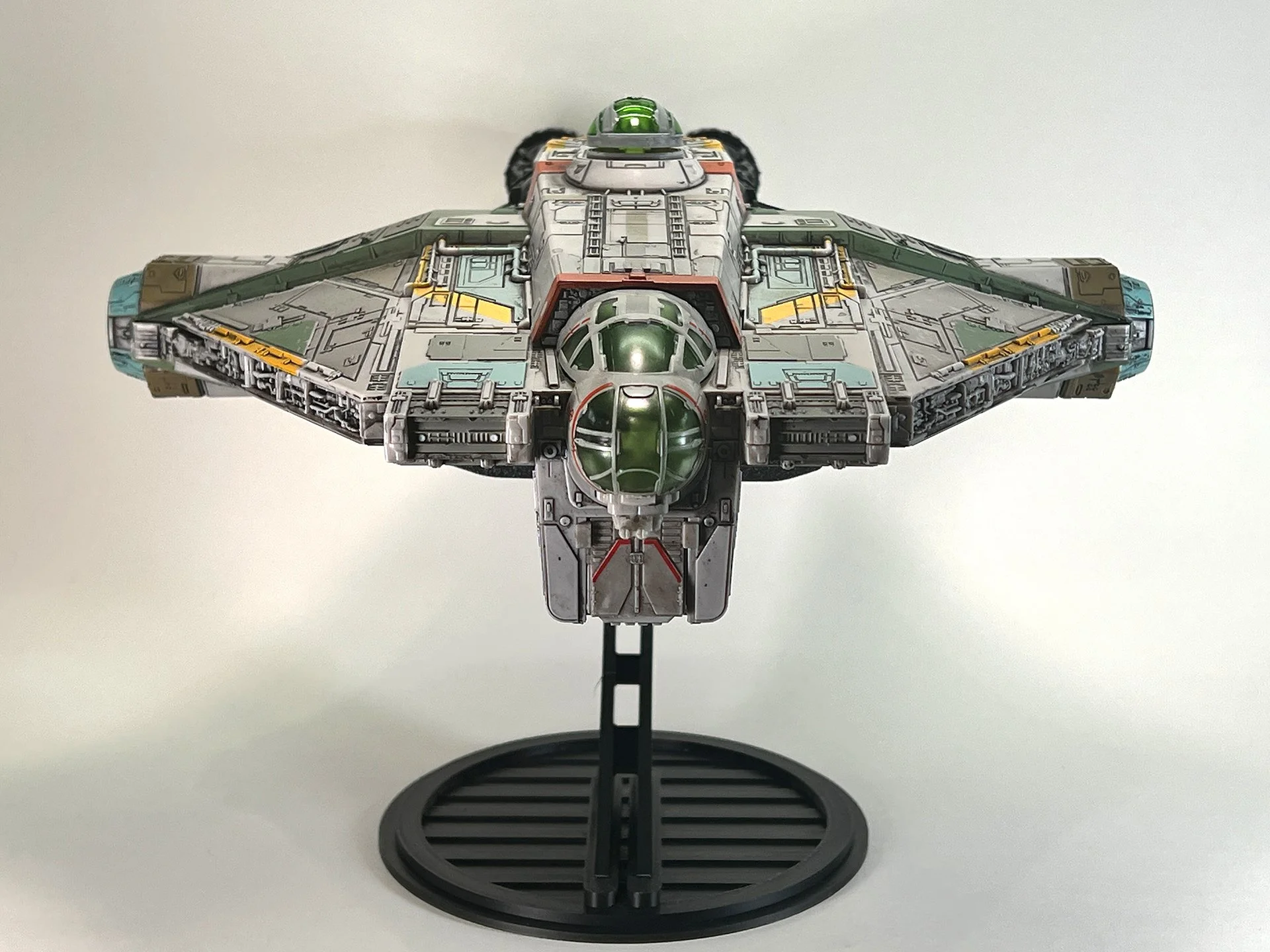
Secure the Swivel Mount assembly by carefully sliding it onto the designated slots located at the bottom of the ship, adjacent to the retracted landing gear..

Attach the Swivel Mount/Bolt Sleeve assembly, secured to the ship, by sliding it onto the Upright.

Loosen the tension knob before adjusting to your preferred angle.
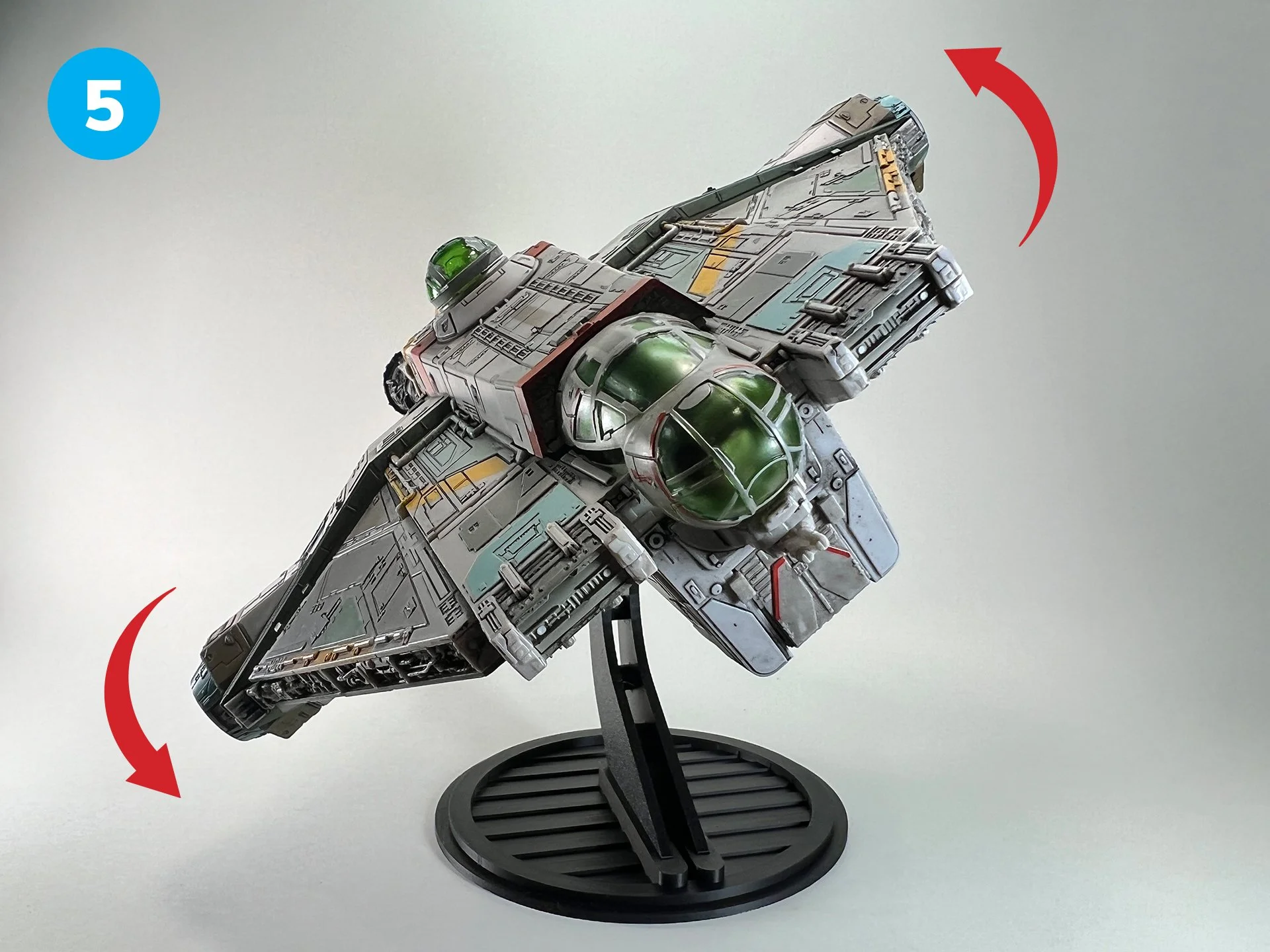
Adjust the ship to your desired angle for optimal display.
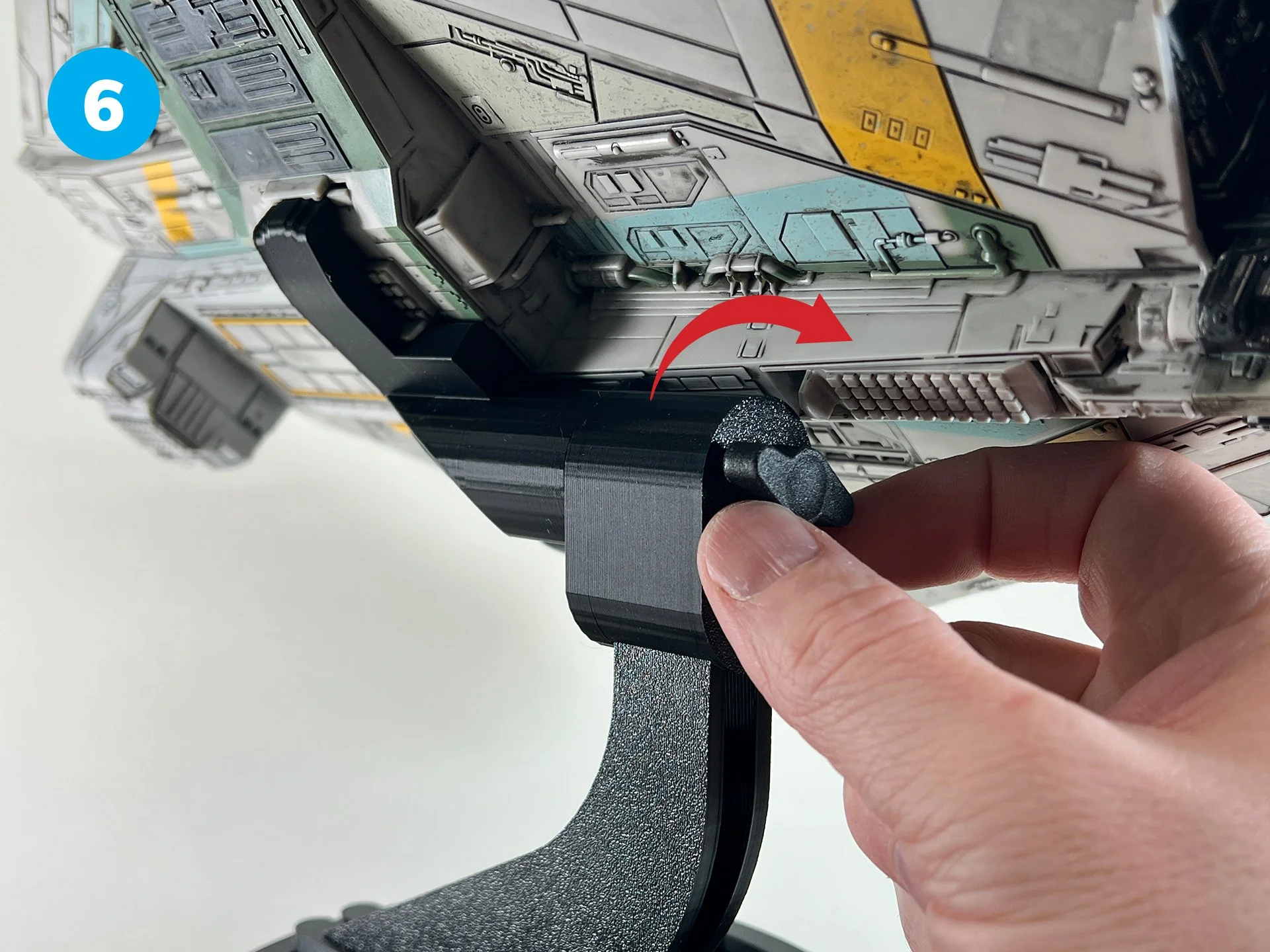
Tighten the tension knob to securely fix the ship at your preferred angle.
Instructions
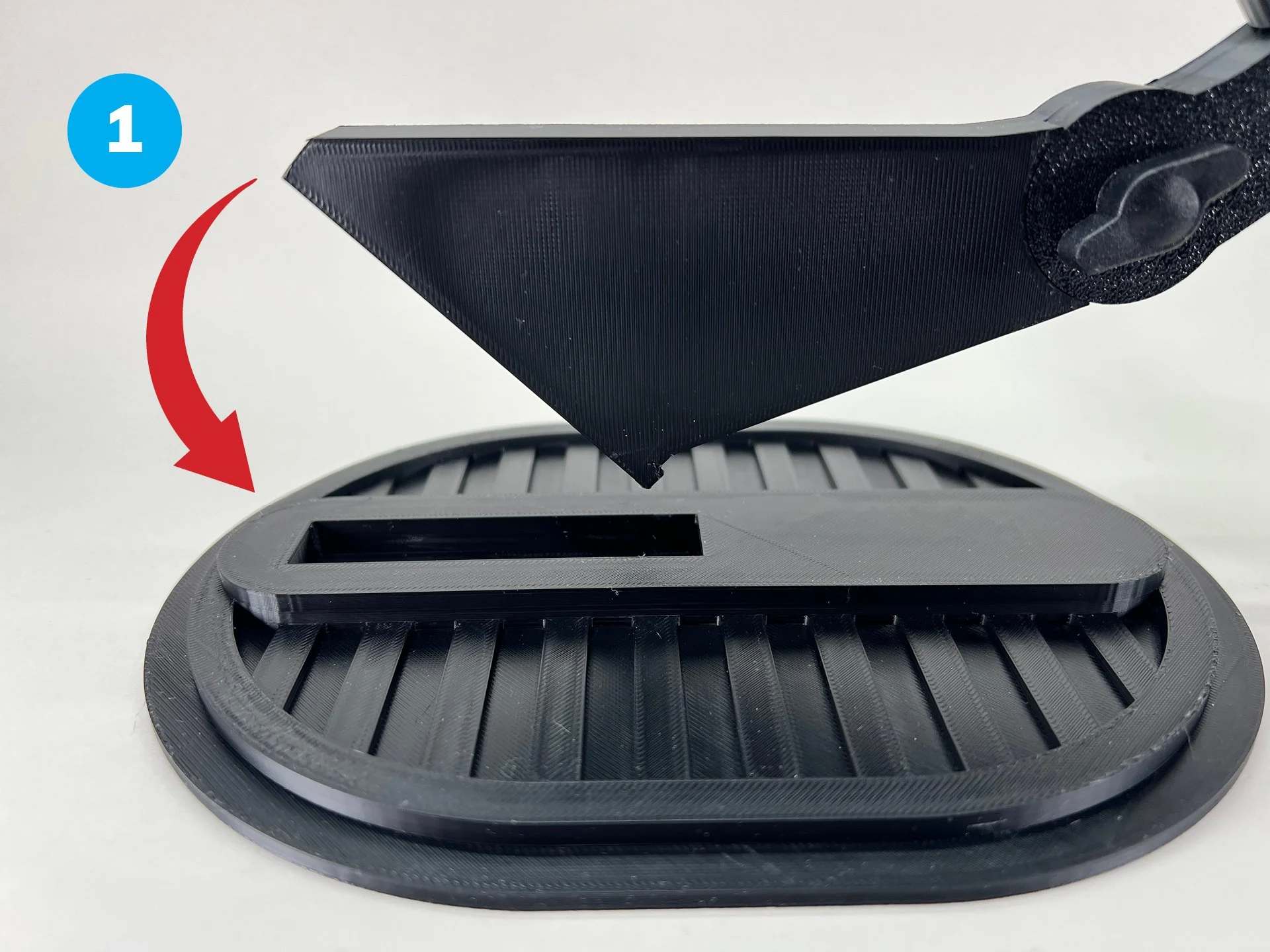
Begin by inserting the hooked rear of the Upright.
Press front down firmly until it locks in place.
Secure the Swivel Mount assembly by carefully sliding it onto the designated slots located at the bottom of the ship, adjacent to the retracted landing gear..
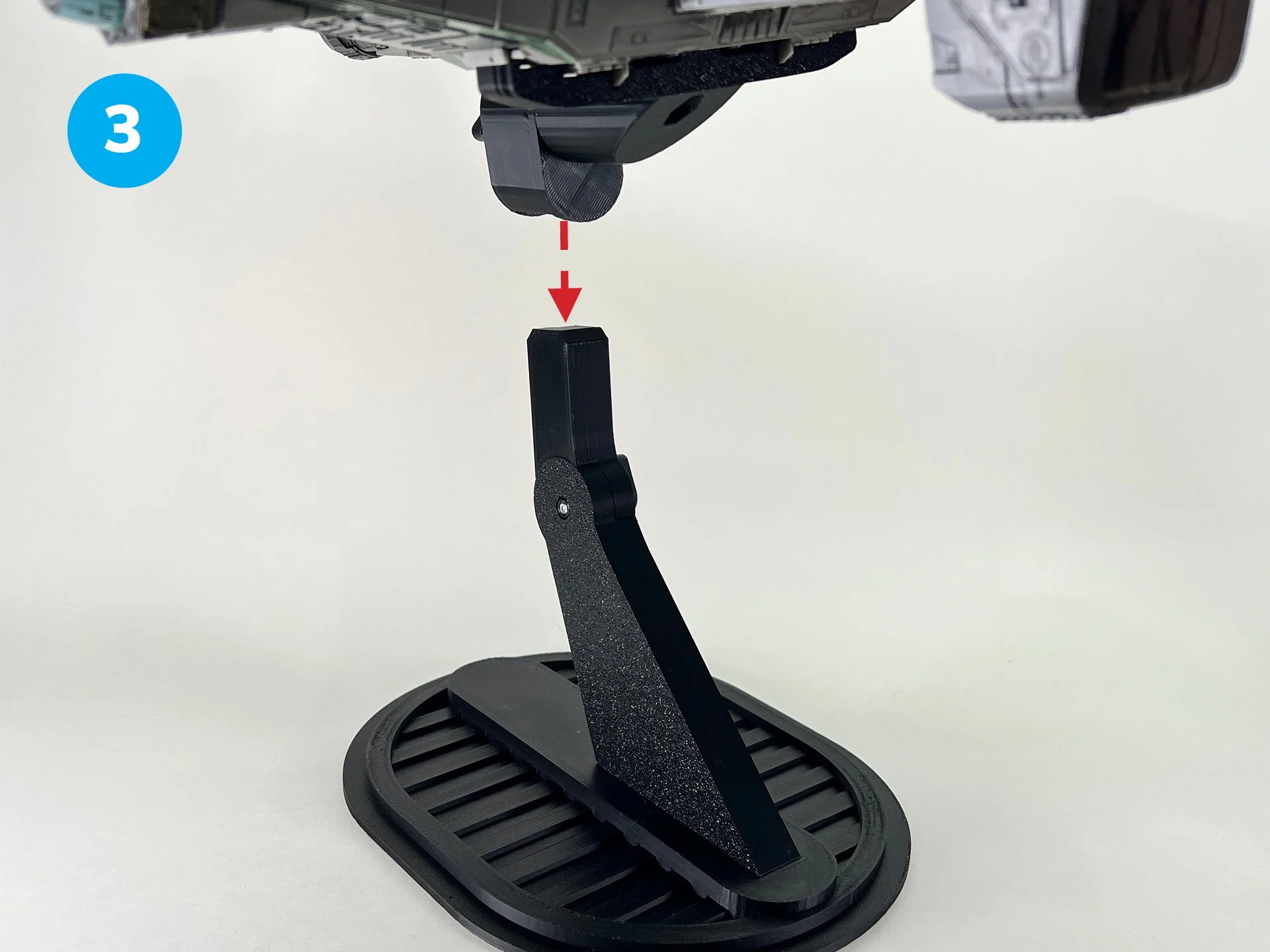
Attach the Swivel Mount/Bolt Sleeve assembly, secured to the ship, by sliding it onto the Upright.
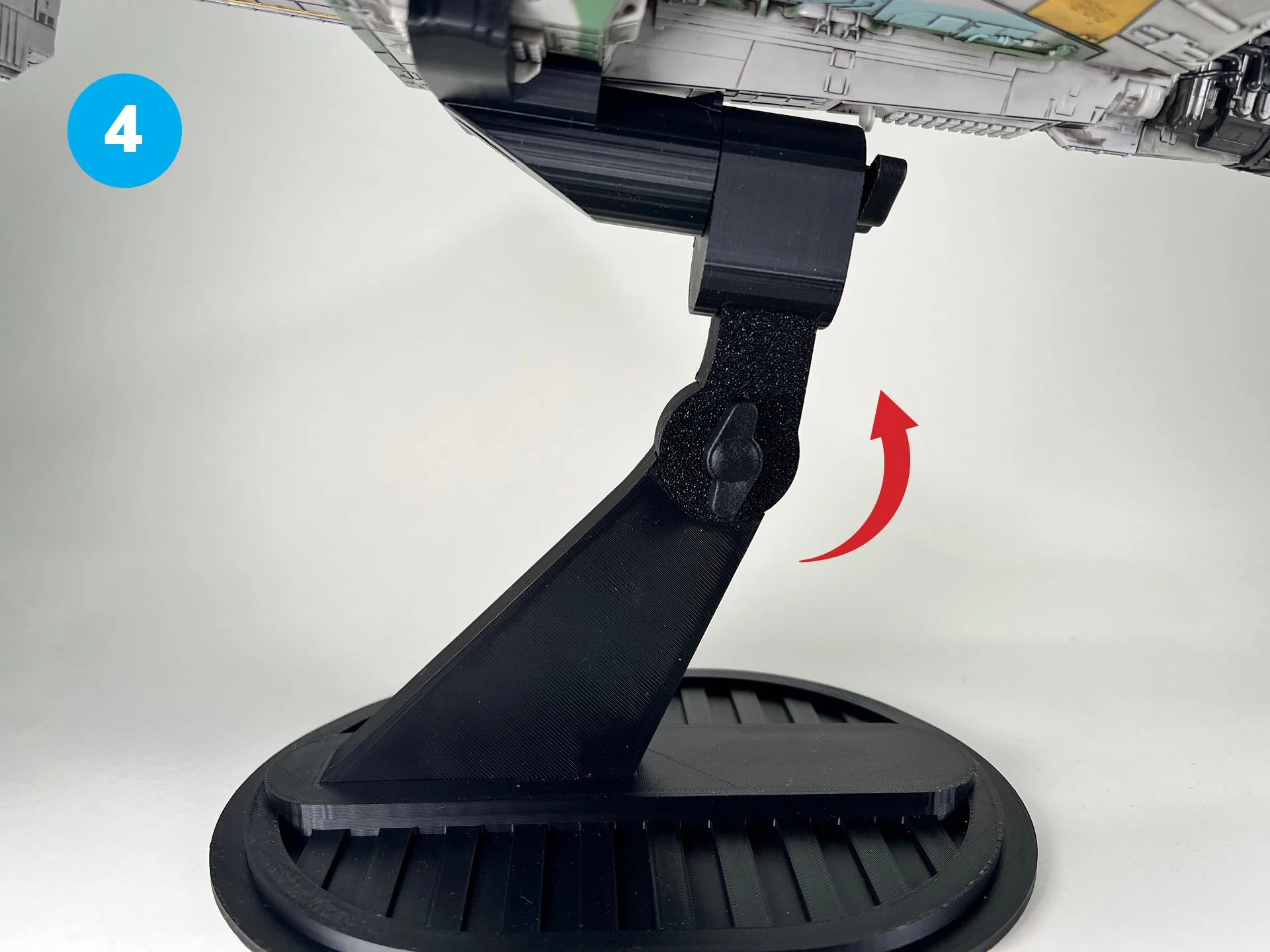
Loosen the tension knob before adjusting to your preferred angle.
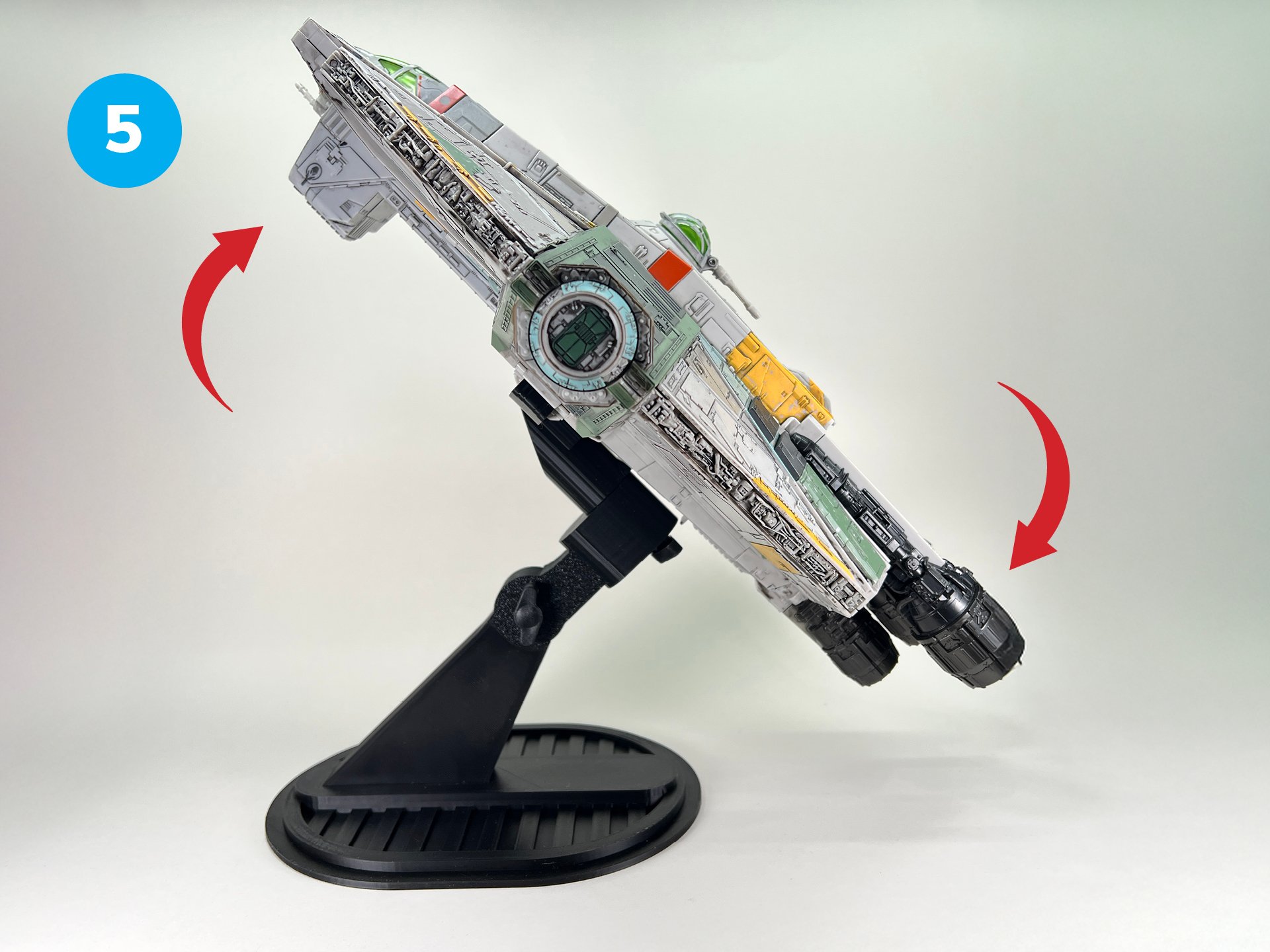
Adjust the ship to your desired angle for optimal display.
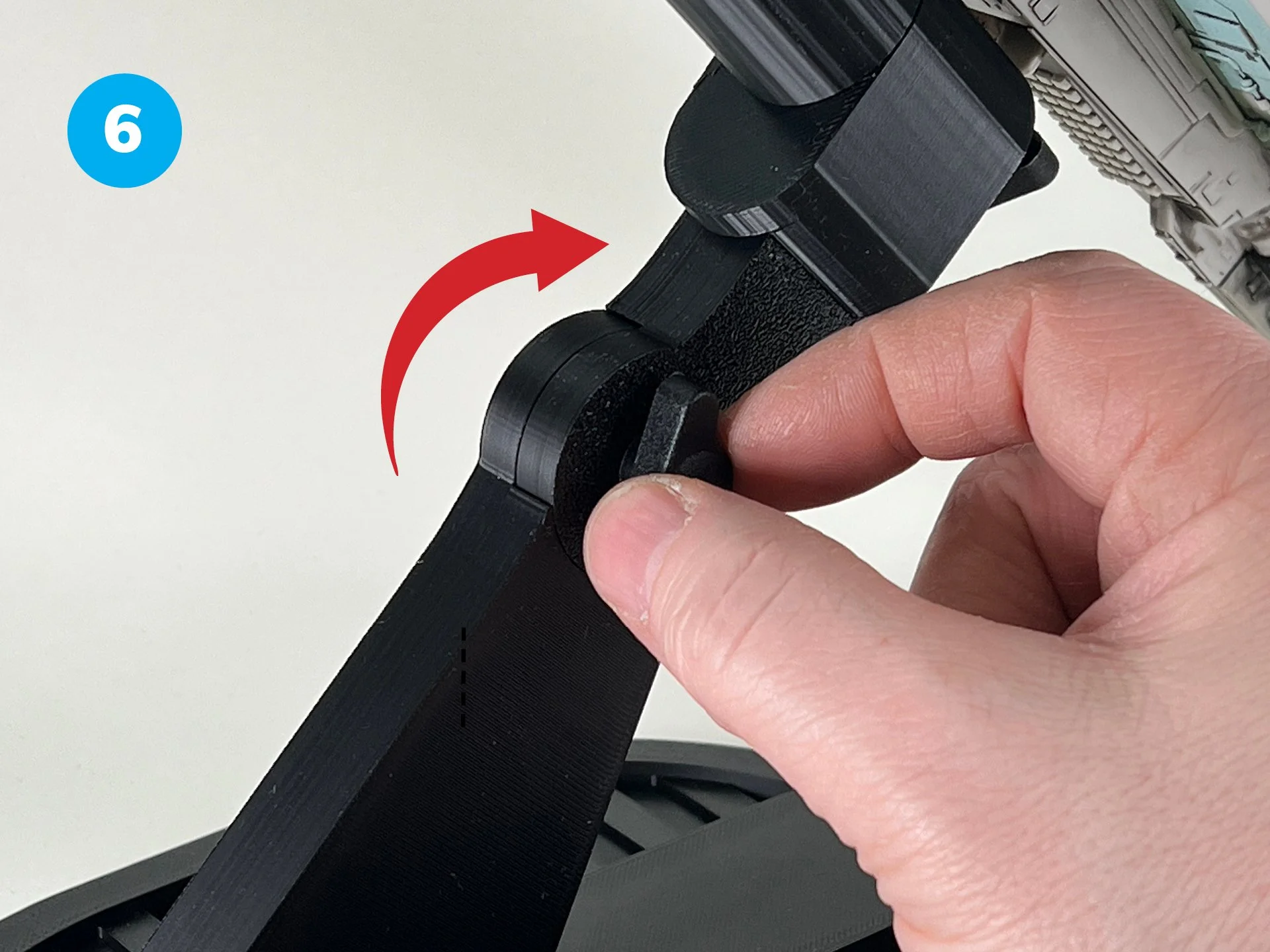
Tighten the tension knob to securely fix the ship at your preferred angle.
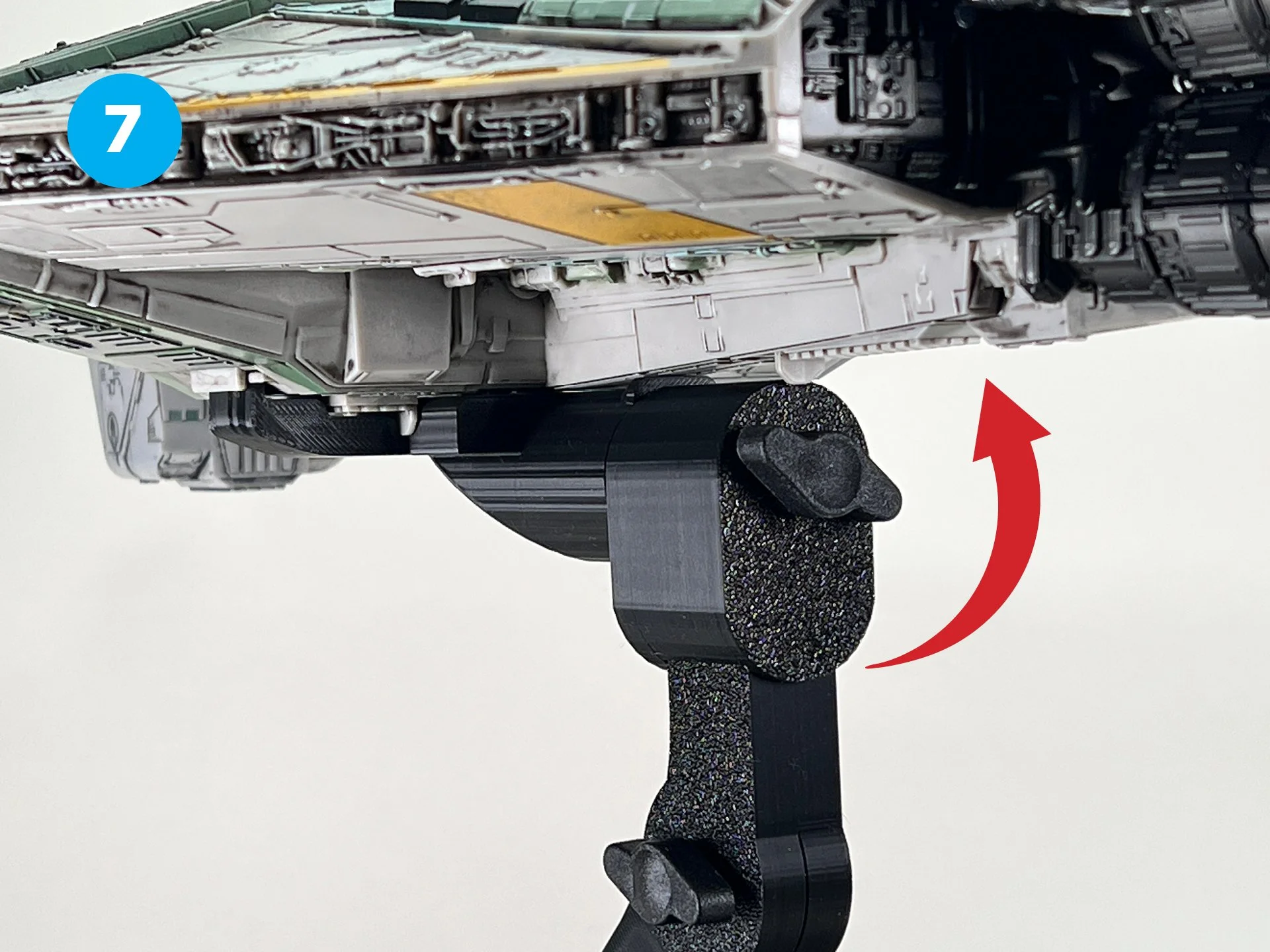
Loosen the tension knob before adjusting to your preferred angle.
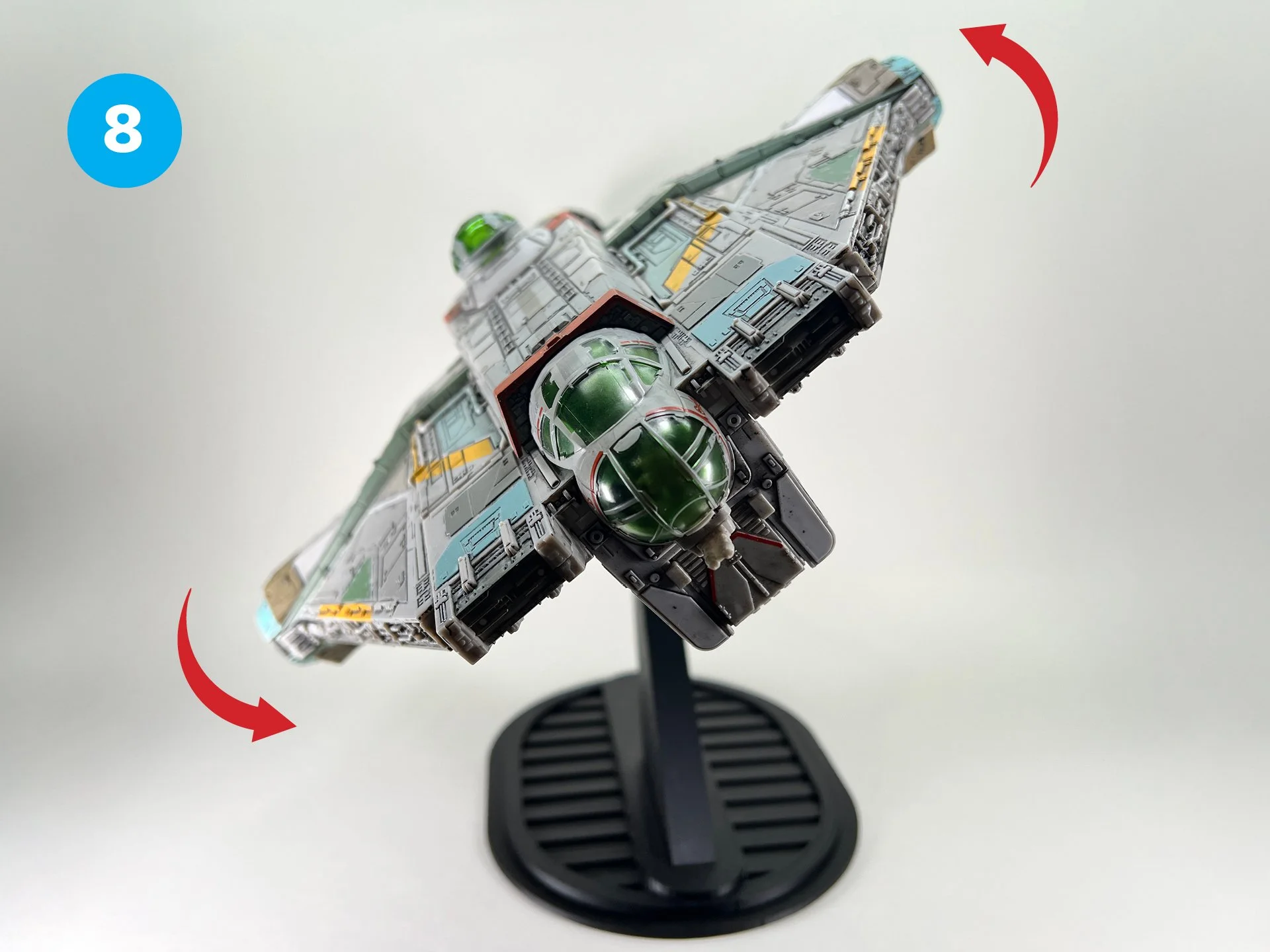
Adjust the ship to your desired angle for optimal display.
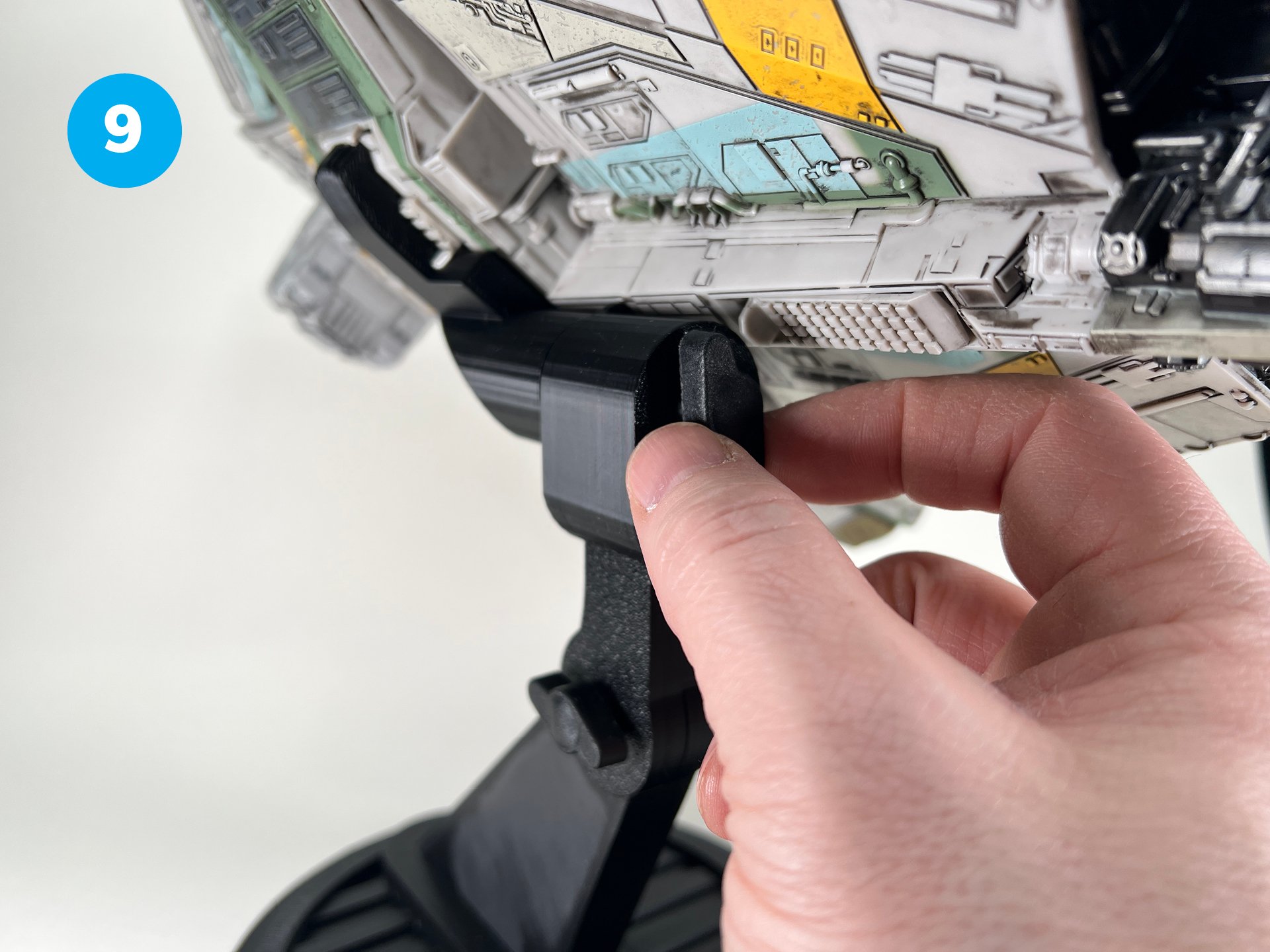
Tighten the tension knob to securely fix the ship at your preferred angle.